Why is my website so slow? Here's what's actually causing it

A slow website costs you visitors, rankings, and revenue. People bounce before your page even loads. And you're left wondering why is my website so slow when you've done everything right.
Here's the good news. Slow sites are almost always fixable. You just need to know where to look.
Let's break down the real causes, one by one, and show you exactly what to do about each one.
Your hosting is probably the root cause
Before you blame your images or your plugins, look at your foundation. Your hosting sets the ceiling for how fast your site can ever be.
If your host is slow, nothing else you do will fully fix it. You're building on sand. If the site is not just slow but sometimes unreachable, set up uptime monitoring so you know how often.
Shared hosting and overcrowded servers
Most budget hosting puts hundreds of sites on a single server. You share the same processing power, memory, and bandwidth with everyone else.
When one site on that server gets a traffic spike, yours slows down too. You pay the price for problems that aren't yours.
This is the quiet reason so many people ask why is my website so slow. The server is simply overloaded. If you're outgrowing shared plans, VPS hosting gives you dedicated resources that don't get squeezed.
Server location and response time
Distance matters. Every request your visitor makes has to travel to your server and back.
If your server sits on another continent from your audience, that round trip adds real delay. Physics doesn't care how good your code is.
Good hosting places your site close to your visitors, or uses smart delivery to close the gap. We'll cover that shortly.
What good hosting actually delivers
A quality host should give you fast server response times, ideally under 200 milliseconds. It should keep your site online consistently, without random slowdowns.
It should also give you room to grow without punishing you for success. That's the standard we built Flashcloud around, and it's why we started in the first place. You can read why we started Flashcloud if you want the full story.
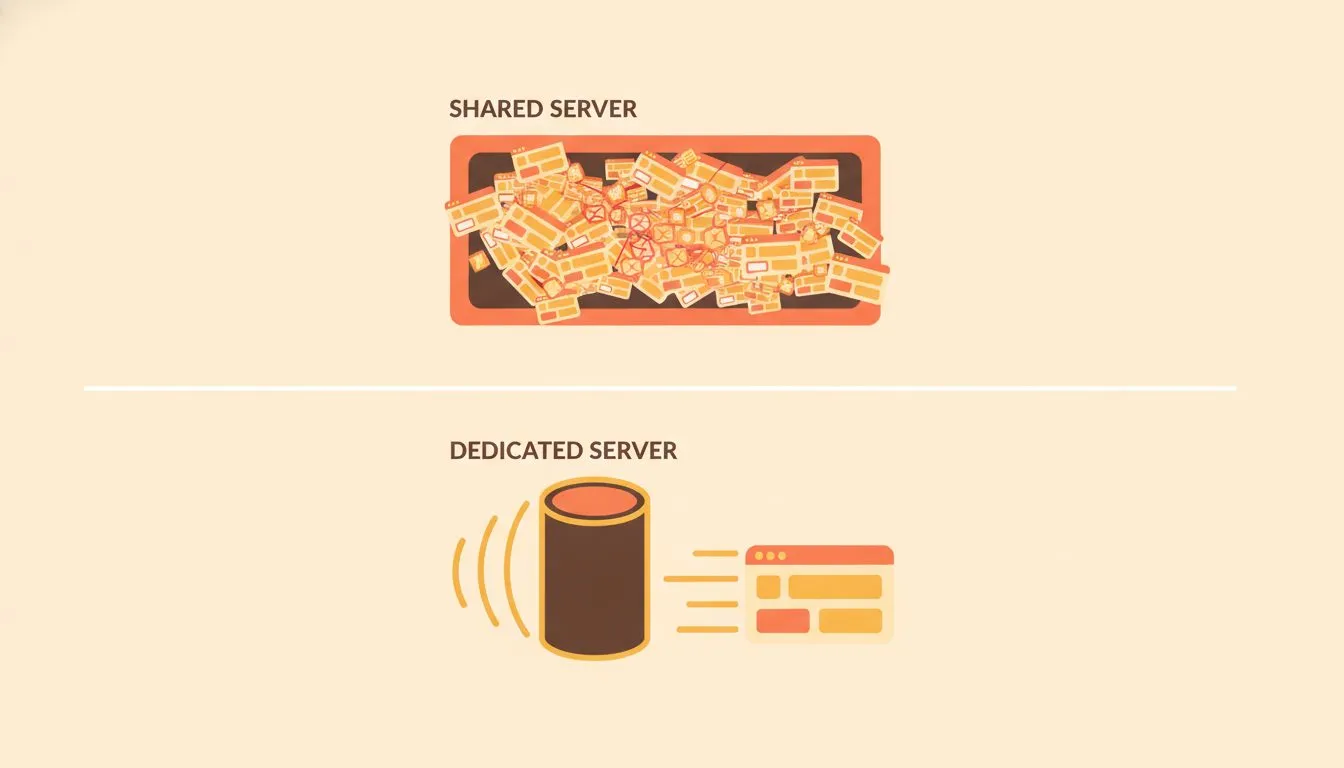
Shared servers split resources. Dedicated resources keep your site fast.
Large files and unoptimised images slow everything down
Once your hosting is solid, the next big culprit is weight. Every file your page loads adds time.
The heavier your page, the longer people wait. And this is one of the easiest problems to fix yourself.
Images that are too large to load quickly
Images are usually the biggest thing on any page. A single uncompressed photo can weigh more than your entire text and code combined.
People upload straight from their phone or camera without resizing. A 5MB image where a 200KB version would look identical. That's page weight you don't need.
Every one of those files has to download before your visitor sees a finished page. Multiply that across a gallery and you've built a slow site by accident.
Too many scripts and third-party plugins
Plugins are handy. But each one adds code that has to load, run, and sometimes call outside servers.
Install twenty plugins and you've stacked twenty potential slowdowns. Some load scripts on every single page, even where they're not used.
Third-party tools are the worst offenders here. Chat widgets, tracking pixels, ad scripts, and social feeds all reach out to other servers. If those servers are slow, your site waits on them.
How to reduce file size without losing quality
You can cut serious weight without touching how your site looks. Here's where to start:
- Compress your images before you upload them. Tools built into most platforms can shrink files by 60 to 80 percent with no visible drop in quality.
- Use modern formats like WebP instead of old JPEGs and PNGs. They look the same and weigh far less.
- Resize images to the size they'll actually display. Don't load a 4000px image into a 400px space.
- Audit your plugins and remove anything you don't use. Fewer moving parts means fewer things slowing you down.
- Lazy load images so they only load when a visitor scrolls to them.
Do these five things and most sites see an immediate speed boost. It's low effort with high reward.
Caching and content delivery make a big difference
Now let's talk about serving your pages smarter. Even a light, well-hosted site can feel slow if it rebuilds everything from scratch on every visit.
Caching and delivery networks fix that. They're two of the most powerful speed tools available.
What caching does and why it matters
Caching stores a ready-made version of your page. Instead of building it fresh for every visitor, your server hands over the saved copy.
Think of it like prepping meals ahead of time. When the order comes in, it's already made. You just serve it.
This cuts load time dramatically, especially for repeat visitors and busy pages. Without caching, your server does the same work over and over for no reason.
Content delivery networks and global speed
A content delivery network, or CDN, stores copies of your site on servers around the world. When someone visits, they get served from the location closest to them.
So a visitor in Tokyo isn't waiting on a server in London. They get a local copy instead, which loads far faster.
If you're not sure whether you need one, we broke it all down in what is a CDN and do you need one. Short answer: most growing sites benefit from one.
When caching is misconfigured or missing entirely
Caching only helps when it's set up right. Get it wrong and you cause new problems.
Misconfigured caching can serve people outdated pages. They see old prices, old content, or a broken layout. That's worse than slow.
Some sites have no caching at all, which means every visit hits the server hard. If you're on managed WordPress hosting, caching is often handled for you. If not, it's one of the first things worth setting up properly.
Your database and backend can become a bottleneck
Some slowdowns hide where you can't see them. Your database and backend do a lot of work behind the scenes, and they gather baggage over time.
This is often why an old site that used to be fast slowly grinds down. Let's fix that.
Bloated databases and old stored data
Your database stores everything: posts, settings, comments, and a surprising amount of junk. Over time it fills with old drafts, spam comments, and leftover data from deleted plugins.
The bigger and messier your database gets, the longer every query takes. And queries run constantly while your pages load.
Regular cleanup keeps things fast. Our guide to WordPress database optimization walks you through it step by step, and WordPress database management covers the ongoing habits.
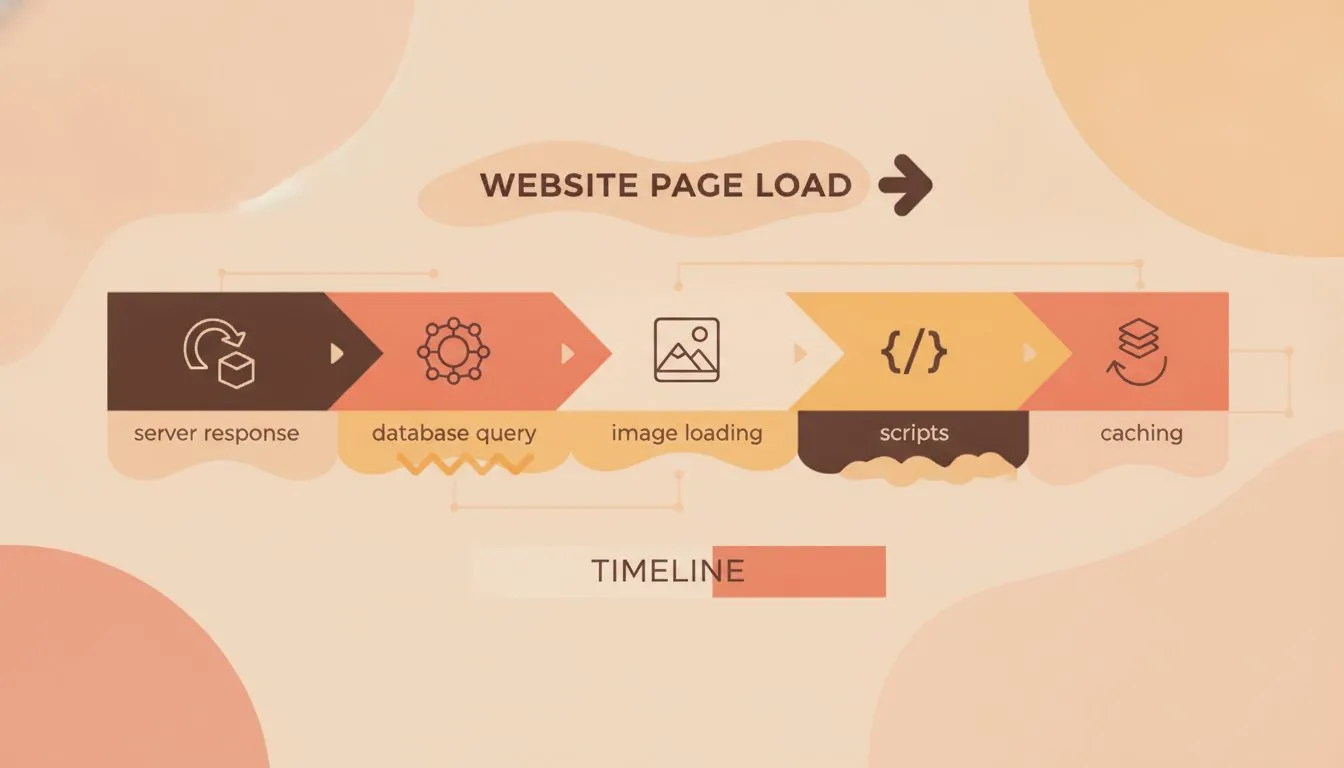
Where your load time actually goes, broken down by stage.
Too many redirects adding request chains
A redirect sends a visitor from one URL to another. One or two is fine. Dozens stacked together is a problem.
When redirects chain together, each one adds a round trip. Your visitor waits through the whole sequence before they land on the real page.
Audit your redirects and remove the ones you don't need. Point old links straight to the final destination instead of bouncing through three steps.
Outdated software and themes causing drag
Old software is slow software. Outdated versions of WordPress, PHP, plugins, and themes miss out on speed improvements and fixes.
Bloated or poorly built themes are especially bad. Some load huge amounts of code you never use.
Keep everything current. If you're nervous about updates breaking things, WordPress automatic updates explains how to manage them safely, and a staging environment lets you test changes before they go live.
How to test your website speed and track improvements
You can't fix what you can't measure. Before you change anything, get a clear picture of where you stand.
Testing tells you what's actually slowing you down, so you don't waste effort on the wrong thing.
Free tools that show you where the problem is
You don't need to pay anything to diagnose a slow site. These free tools do the job well:
- Google PageSpeed Insights scores your speed and lists specific fixes.
- GTmetrix shows a detailed breakdown of what loads and how long each part takes.
- WebPageTest lets you test from different locations and connection speeds.
Run your site through at least two of these. Patterns across tools point you to the real issues. We go deeper in our guide on what your speed test results mean.
Reading your results without technical experience
The reports look intimidating. They aren't. Focus on a few key numbers:
- Largest Contentful Paint (LCP) is how long until the main content appears. Aim for under 2.5 seconds.
- Time to First Byte (TTFB) is how fast your server responds. Slow here usually means a hosting problem.
- Total page size tells you how heavy your page is. Big numbers point to image and script issues.
You don't need to understand every metric. Just watch these three and whether they improve as you make changes.
What to fix first for the fastest results
Don't try to fix everything at once. Work in order of impact:
- Sort your hosting. If your TTFB is slow, no amount of image tweaking will save you. Start here.
- Compress your images. This is the biggest quick win for most sites.
- Set up caching and a CDN. Fast delivery, big returns.
- Trim plugins and clean your database. Remove the drag.
- Fix redirects and update software. Tidy up the loose ends.
Follow that order and you'll see the biggest gains soonest. Test after each step so you know what worked.
Get your speed back on track
Slow websites are fixable. That's the whole point. Every cause we've covered has a clear solution, and most of them are within your reach today.
Start with your hosting, because everything else gets easier once your foundation is fast. Then work down the list: images, caching, database, redirects, updates.
If you're still asking why is my website so slow after all that, the answer is almost always the host holding you back. A fast, reliable foundation changes everything, and moving to one is easier than you think with our migration checklist.
Want a straight answer about your setup? Talk to our team. We're real people who'll help you get faster, and we'll tell you the truth about what's slowing you down.

Neycho Tepavicharov is the co-founder of Flashcloud, with nearly two decades in web hosting behind him and a hosting company he co-founded and sold along the way. He started Flashcloud to make hosting clearer, more generous, and genuinely supportive, and he writes about hosting, performance, how AI is changing the industry, and the occasional strong opinion about where it gets things wrong.
Connect on LinkedIn