Website security best practices every site owner needs
A hacked site costs more than you think. Lost data, lost trust, lost income, and hours you'll never get back.
The good news? Most attacks are preventable. These website security best practices will keep your site protected from the start, whether you're launching your first page or running a busy online store.
Let's walk through what actually works.
Start with a secure hosting foundation
Security starts before you write a single line of code. Your web hosting sets the baseline for everything else.
Get this part right and the rest gets a whole lot easier.
Choose a host that takes security seriously
Your host's defaults shape your site's protection. A good provider builds in firewalls, malware scanning, and isolation between accounts.
A weak one leaves you exposed and hopes you don't notice. When you're picking a host, ask what they do to keep you safe before you even log in.
At Flashcloud, security isn't an add-on. It's part of the foundation, with real human support if anything ever looks wrong. If you're not sure what to look for, our guide on how to actually test a web host before you commit walks you through it.
Make sure SSL is active from day one
SSL encrypts the data moving between your site and your visitors. It also shows that little padlock in the browser bar that tells people your site is safe.
Without it, browsers flag your site as "not secure." That scares visitors off fast.
SSL should be active before you launch, not bolted on later. If you want the full picture, read our breakdown of what an SSL certificate is and why your site needs one.
Keep your server software up to date
Outdated server software is one of the most common ways attackers get in. Old versions carry known holes that bad actors actively hunt for.
On managed hosting, your provider handles these updates for you. That's one less thing on your plate.
If you run your own VPS hosting or dedicated hosting, you'll need to stay on top of patches yourself. Set a schedule and stick to it.
Lock down access to your site
Most breaches don't start with clever hacking. They start with weak or stolen login details.
Tighten up access and you close the door on the easiest attacks.
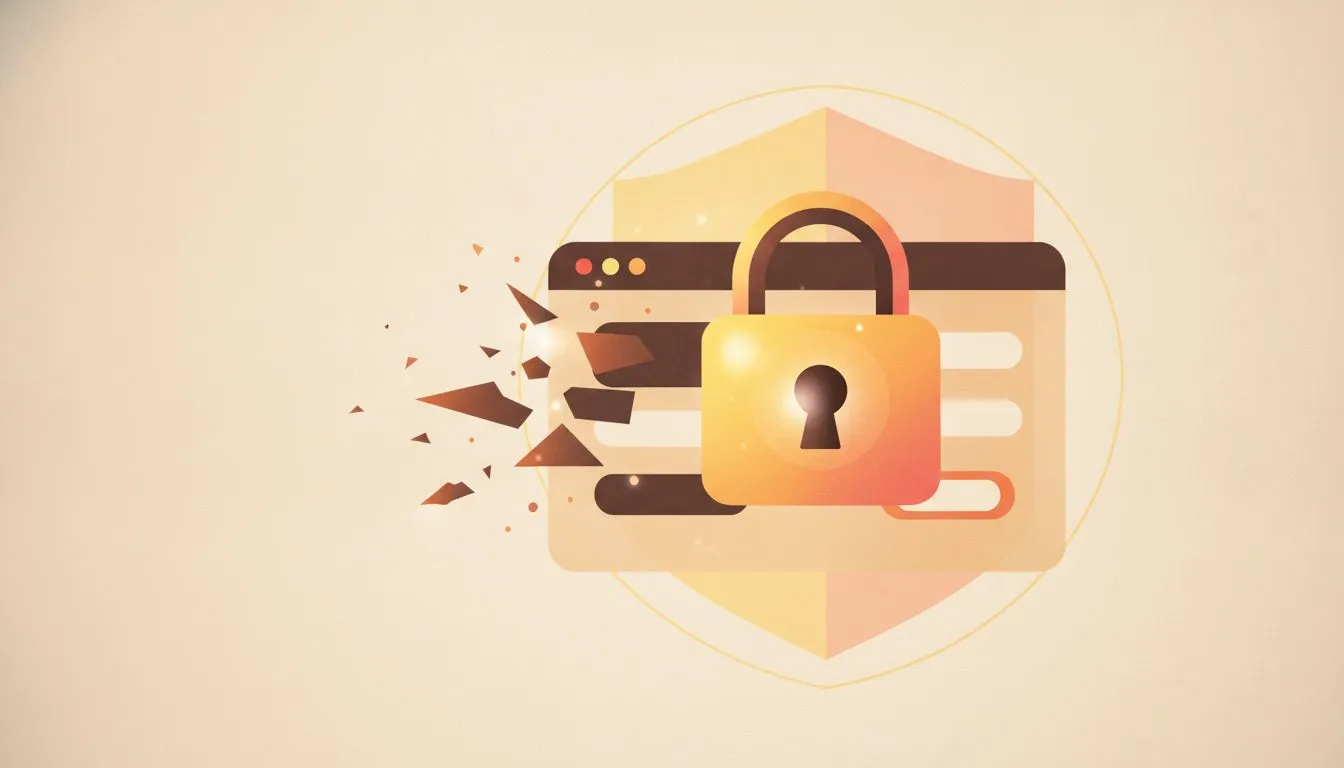
Strong access controls stop most attacks before they start
Use strong, unique passwords everywhere
Reused passwords put your whole setup at risk in an instant. One leaked password from another site can unlock yours.
Use long, random passwords for every account. A password manager makes this painless, generating and storing them so you don't have to remember a thing.
Here's a quick rule of thumb for a strong password:
- At least 16 characters
- A mix of letters, numbers, and symbols
- No real words, names, or dates
- Never reused anywhere else
Enable two-factor authentication
Two-factor authentication, or 2FA, blocks access even when a password gets stolen. It adds a second step, usually a code from your phone.
An attacker would need your password and your device. That's a wall most never get past.
Turn it on for your hosting account, your CMS, and your email. If you're on WordPress, our guide to two-factor authentication on WordPress shows you exactly how.
Limit who has admin access
Fewer admin accounts mean fewer ways in. Every full-access login is a potential weak spot.
Give people only the access they need to do their job. A writer doesn't need server access. A contractor doesn't need a permanent admin account.
Review your user list regularly. Remove old accounts the moment someone stops working with you.
Keep your software and plugins updated
Outdated tools are open doors for anyone looking to get in. This is one of the most important website security best practices, and one of the easiest to skip.
Don't skip it. Staying current is one of the simplest ways to stay safe.
Update your CMS regularly
Your CMS, like WordPress, Joomla, or Drupal, releases updates that patch known holes. Skip them and you're leaving the door open on purpose.
Updates often happen quietly in the background. Make sure yours are switched on.
If you run WordPress, our guide to WordPress automatic updates and how to manage them explains how to keep things current without breaking your site. Running something else? We've got Joomla hosting and Drupal hosting built for the same level of care.
Audit and remove unused plugins
Old plugins you forgot about still carry real risk. Each one is code running on your site, and code can have flaws.
An abandoned plugin that never gets updated is a sitting target. Attackers love them.
Go through your plugin list every few months. If you're not using it, delete it. Don't just deactivate it, remove it completely.
Only install software from trusted sources
Unverified plugins can carry malicious code right out of the box. That free theme from a random site might come with a nasty surprise.
Stick to official directories and reputable developers. Check reviews, update history, and how many people use it.
If something looks too good to be true, it usually is. A few minutes of checking saves you a world of pain.
Back up your site and have a recovery plan
Backups won't stop an attack. But they'll save you from one.
When the worst happens, a solid backup turns a disaster into a minor delay.
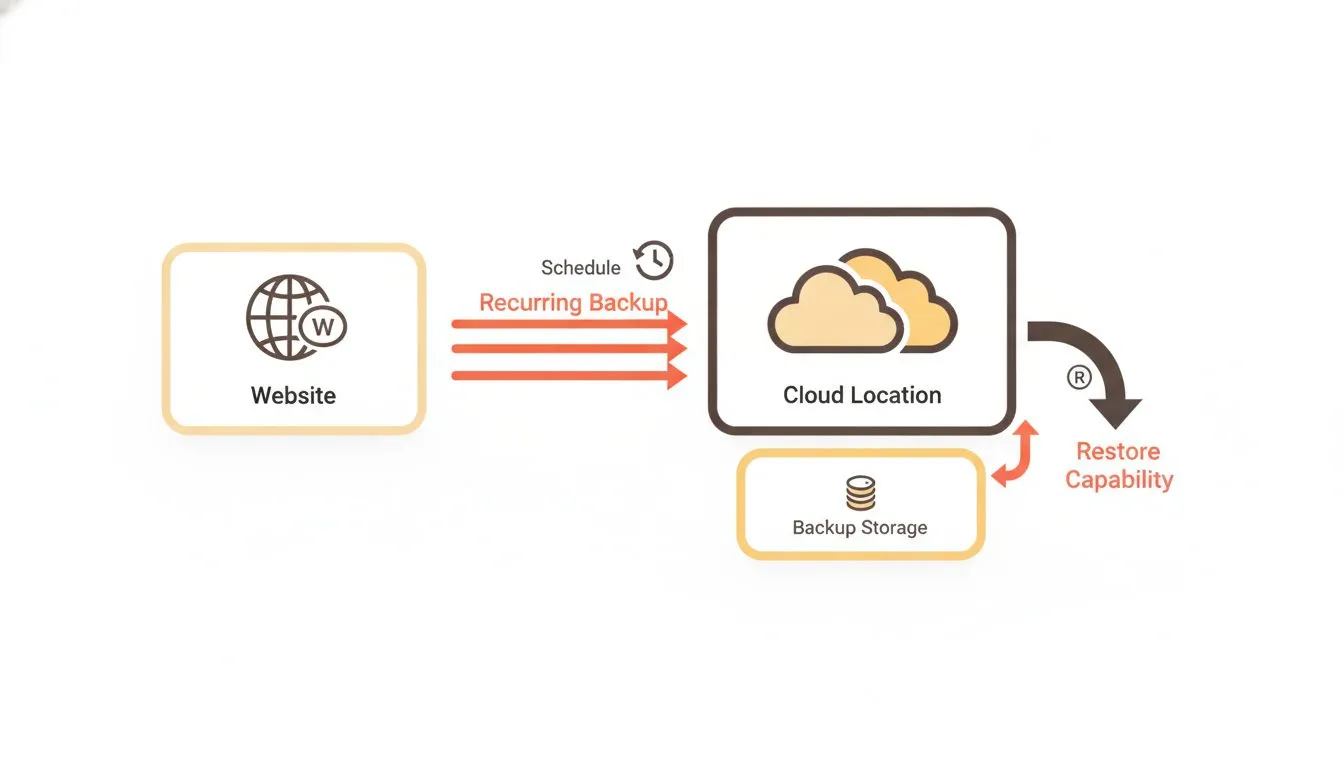
Backups stored off-site mean you can always bounce back
Set up automatic backups on a regular schedule
Regular backups mean you never lose more than a day's work. Manual backups get forgotten, so automate them.
Daily is a safe default for most sites. If you update often or run a store, go more frequent.
For a busy WooCommerce or Magento shop, every order matters. Frequent backups protect your sales data too.
Store backups in a separate location
Backups stored on the same server get wiped in the same attack. If your server goes down, your backup goes with it.
Keep copies somewhere else, like separate cloud storage or an off-site location. That way, a single failure can't take everything out.
Think of it like a spare key. You don't keep it taped to the front door.
Test your restore process before you need it
An untested backup is not a backup you can rely on. Plenty of site owners discover their backups are broken at the worst possible moment.
Run a test restore now, while everything's calm. Make sure the files are complete and the site comes back clean.
A staging environment is perfect for this. Restore there, check it works, and you'll have real confidence when it counts. For a full routine, including what to check and how to time a restore, see how to test your website backups before you need them.
Monitor your site and respond quickly
Catching a problem early limits the damage it can do. The faster you spot trouble, the cheaper and easier it is to fix.
Good monitoring turns you from reactive to ready.
Set up uptime and security monitoring
Monitoring tools alert you the moment something looks wrong. A site that suddenly goes down or starts behaving oddly is often the first sign of trouble.
You can't watch your site 24/7. Tools can.
Our guide to website uptime monitoring shows how to keep an eye on things without lifting a finger. Set it up once and let it work.
Watch for unusual login attempts
Repeated failed logins often signal a brute force attack in progress. Someone, or some bot, is trying password after password to break in.
Limit login attempts so accounts lock after a few tries. Add a tool that flags suspicious activity and you'll know fast.
Combine this with strong passwords and 2FA, and brute force attacks get nowhere. They simply run out of options.
Know what to do if your site gets compromised
A clear response plan helps you act fast and recover cleanly. Panic wastes time you don't have.
Here's a simple plan to follow if your site is hit:
- Take the site offline to stop further damage
- Change every password connected to the site
- Restore from your most recent clean backup
- Scan for malware and remove anything suspicious
- Update all software, plugins, and themes
- Contact your host's support team for help
With Flashcloud, real humans are ready to help when things go sideways. You can always contact us and talk to someone who knows your setup.
Putting it all together
These website security best practices work best as a layered system. No single step does everything, but together they make your site a hard target.
Here's how the layers stack up:
Layer | What it protects against | Effort |
|---|---|---|
Secure hosting and SSL | Data theft, server attacks | ✓ Low |
Strong passwords and 2FA | Stolen credentials | ✓ Low |
Regular updates | Known vulnerabilities | ✓ Low |
Backups and recovery | Data loss, ransomware | ✓ Medium |
Monitoring and response | Active attacks, downtime | ✓ Medium |
None of this requires deep technical skill. Most of it takes an afternoon to set up and a few minutes a month to maintain.
Want to start fresh on solid ground? Our free website and WordPress hosting come with the security foundations built in. Check out our pricing to see what's included, no surprises and no hidden extras.
For more guides like this one, browse our security articles on the blog.
Conclusion
Good security is not complicated. The website security best practices that matter most are the simple ones done consistently.
Start with the right host. Lock down your logins, keep your software updated, back everything up, and keep watch.
Do that, and your site stays protected, your visitors stay confident, and you stay in control. Get the foundation right, stay consistent, and the rest takes care of itself.

Nickola Naous is the co-founder of Flashcloud and the technical half of the team. He's spent nearly two decades building and running web hosting infrastructure, and co-founded and sold a hosting company before starting Flashcloud. He writes about performance, servers, security, and how AI is reshaping the technology behind a fast, reliable website.
Connect on LinkedIn