Best web hosting for accountants and CPAs in 2026
Seven hosts compared for accounting firms, from Flashcloud at $2.79/mo with a free built-for-you site to Kinsta at $30/mo for premium managed hosting.
Tax season turns an accountant's website into a stress test. Traffic spikes, clients hunt for your contact form, and a slow page lands at the worst possible moment.
Hosting is the layer under all of it. It decides whether your site loads in March. It also decides whether a backup exists after a mistake, and whether anyone answers when something breaks.
This list covers seven options for accounting firms, from solo preparers to growing practices. We compared security, backups, support, and prices taken from each vendor's own page. One option is ours, and we'll say so when we get there.
Seven hosts for accounting firms, at a glance
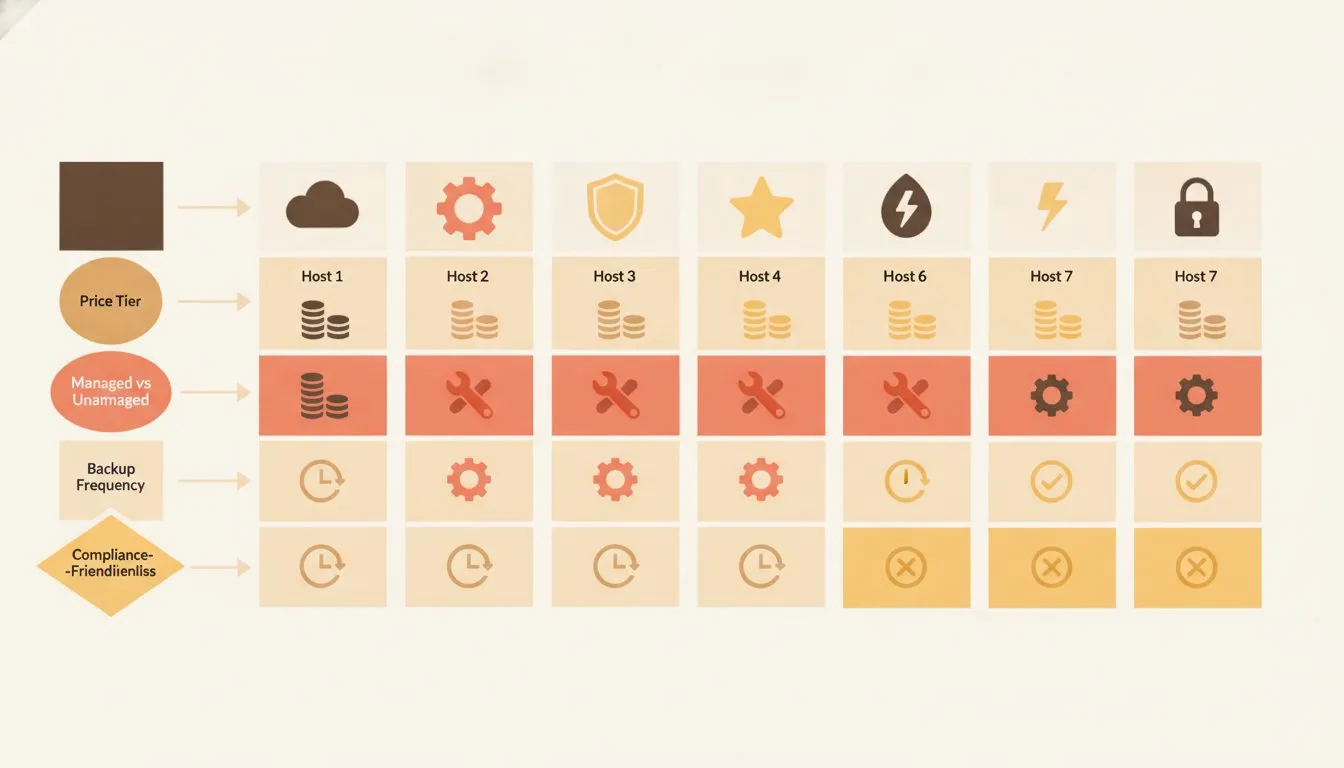
Seven hosts compared at a glance: price, management level, and backup frequency
Platform | Starting price | Best for | Key differentiator | Trial or guarantee |
|---|---|---|---|---|
Flashcloud | $2.79/mo (12-month term) | Firms that need a site built for them | Free handcrafted website, domain, and migration | Anytime money-back guarantee, prorated |
Kinsta | $30/mo billed annually ($35 monthly) | Firms wanting premium managed hosting | 24/7 human support and free malware removal | First month free, then 30-day money-back |
WP Engine | $28/mo billed annually | Firms that want staging and daily backups | 1-click staging with daily backups | None stated on plan page |
Cloudways | $11/mo | Owners comfortable with more controls | Cloud servers with managed tools | 3-day free trial |
Rocket.net | $25/mo billed annually ($30 monthly) | Sites that spike in busy season | Enterprise CDN and firewall on every plan | 30-day money-back, $1 first month |
Pressable | $20.83/mo billed yearly | Sites that change often | Hourly and daily backups | 30-day money-back |
WPX | $14.99/mo on a 1-year term | Owners who want hands-off fixes | Fixed For You Guarantee | 30-day refund |
Prices were checked in October 2026, on each vendor's own pricing page. They're entry-level plans for one website. Promotions and plan names change often, so confirm before you buy.
What accountants should look for in hosting
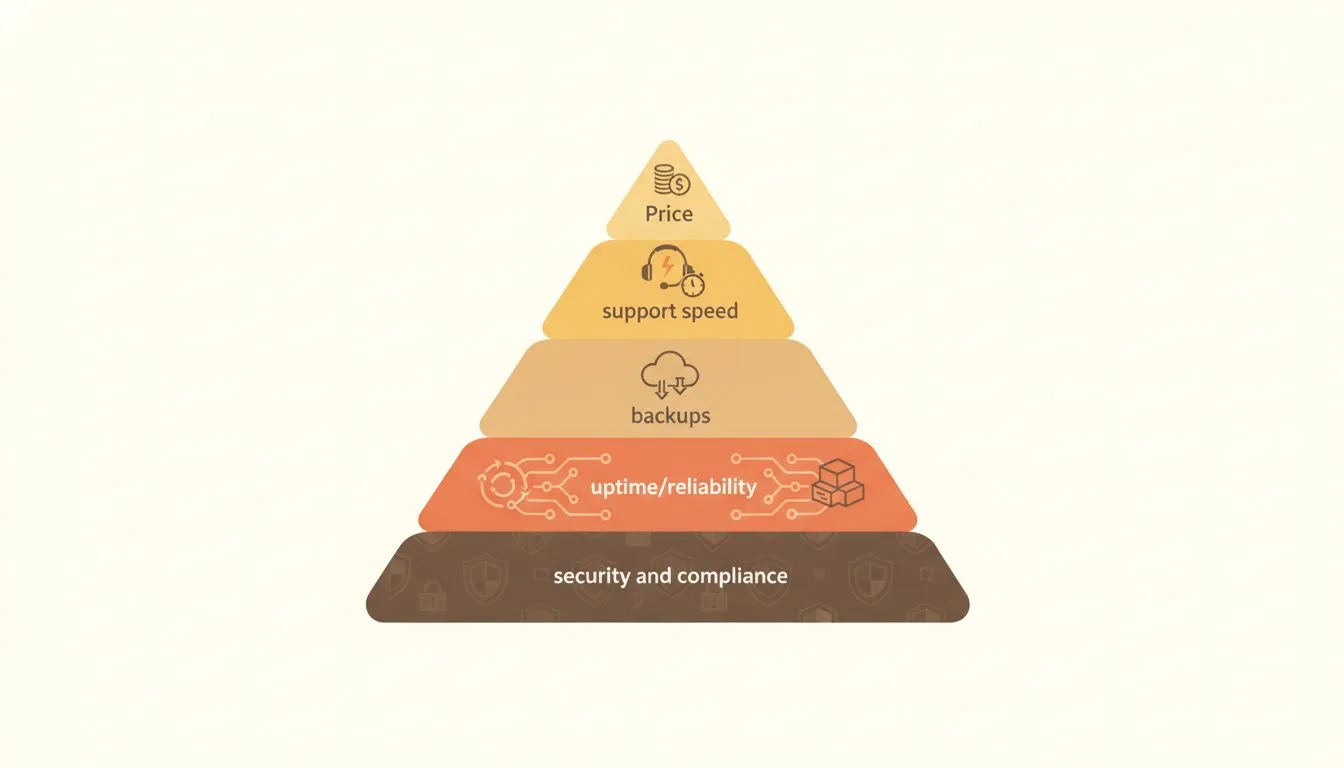
What matters most when choosing hosting for an accounting or CPA firm
An accounting website isn't a food blog. Visitors are about to hand you tax documents, bank details, and years of financial history. That raises the bar for what sits underneath the site.
Start with seasonal capacity. January to April brings real traffic spikes, and some plans bill for extra visits. Check the visit limits and overage rules before the rush, not during it.
Next, look at security layers. A good plan includes a firewall, malware scanning, SSL, and protection against floods of fake traffic. Our guide to website security best practices covers the basics in plain language.
Backups come third. You want daily copies and a fast restore. Retention matters too: a mistake you notice after three weeks needs a longer history than one caught in three days.
Fourth is support. Ask who answers on a Friday afternoon in April. A real person who replies in minutes is worth more than a long knowledge base.
Finally, read the renewal price. Many plans advertise a low first-year rate, then jump. Compare the rate you'll pay in year two, not only the one in the banner.
One more point matters. Hosting doesn't make a firm compliant. IRS Publication 5708 says tax and accounting professionals count as financial institutions under federal law, regardless of size.
That brings a written information security plan. Your host is one layer of that plan. Strong passwords and extra login steps are another.
CISA's MFA guidance says users who enable multifactor authentication are significantly less likely to get hacked. Turn it on for your email, your portal, and your hosting account.
1. Flashcloud: a website built for you, with the basics included
Quick note: We're the team behind Flashcloud, so we can't claim to be neutral. We've given the other six the same fair treatment we'd want ourselves.
Plenty of accountants know their work cold and dread the website. They don't want to learn a builder. They want a professional site, live, without a project.
Flashcloud is built for that person. One plan covers hosting, a domain, and a website a real person builds for you. You make one decision instead of eight.
Why it suits accounting firms
If you have no website, the team builds a real WordPress site of up to five pages. Those five pages map neatly to a firm: Home, Services, About, Resources, and Contact. The build includes a working contact form.
It isn't a drag-and-drop builder or an AI generator. A person designs it around your colors, usually within one to two working days. You get one free revision, which can be a full redesign.
The plan itself includes a domain that's free for as long as you stay, with free privacy. SSL, daily backups with 30-day retention, and email accounts are included. So are a firewall, DDoS protection, and malware scanning and removal.
Support is human and available 24/7. Average reply time is under 15 minutes. That matters when a form stops working in the middle of a filing week.
Switching from another host is easy. Migration is free, usually inside 24 hours, with your email moved too. Flashcloud also adds up to six months of unused time from your old plan.
Pricing
The Start plan costs $2.79 a month on the 12-month term, renewing at $9.99. It includes one website and 25 GB of NVMe storage. The 3-year term starts at $2.99 and renews at $8.99.
The billing term changes the math. The annual term costs less up front, at $33.48 for the first year. The 3-year term costs $107.64 up front, but covers three years. Over the same three years, the annual term comes to $273.24, and the 3-year term also renews lower.
Grow costs $3.79 a month on the annual term, renewing at $11.99. It adds 50 GB and unlimited websites. Scale offers 100 GB with unlimited websites, at $8.49 renewing at $22.99.
The renewal price is shown next to the intro price before you buy. It rises once, at first renewal, and doesn't climb every year after that.
Pros and cons
The strengths are cost, inclusions, and the free build. It's rare to find a domain, backups, and a built website in one purchase.
Flashcloud also holds a 4.9 out of 5 rating from 15 reviews on SourceForge, as checked in October 2026.
The trade-offs are real. Flashcloud doesn't include a client portal, so you'd link out to a secure portal for documents. The free build is a starter site of five pages, not a custom firm-wide build.
It's also a newer brand. Flashcloud launched in 2026, built by a team with nearly two decades in web hosting, and the review scores are public.
Who it's for
Solo preparers, small partnerships, and bookkeepers who want a credible site fast. It fits anyone tired of paying separately for a domain, backups, and a designer.
2. Kinsta: premium managed WordPress for hands-off firms
Kinsta sits at the premium end of managed WordPress hosting. You pay more, and you hand off most of the technical work. For a busy partner, that trade can be worth it.
Why it suits accounting firms
Per Kinsta's plans page, every plan includes a managed firewall with DDoS protection. Bot and vulnerability protection are included, along with free SSL and free malware removal. Support is human and runs 24/7.
Backups are kept for 14 days, and storage on the entry plan is 10 GB. The page also lists unlimited free migrations. That helps if you're moving a site from a slow host before the next filing season.
Pricing, checked October 2026
The entry plan covers one WordPress install. Kinsta lists it at $35 a month billed monthly, or about $30 a month billed annually. Extra sites cost $30 a month each.
The page also lists a first month free for new customers, followed by a 30-day money-back guarantee. It bills by bandwidth rather than by visits, so check the limits against your busy-season traffic. The plan page lists 20 GB of server bandwidth and 125 GB of CDN bandwidth per month.
Pros and cons
Kinsta's strength is a managed, security-focused setup with strong support. The trade-off is price. A single site costs several times more than a shared plan, and extra sites add up quickly.
A firm with one site and a small budget may not need this level. A firm that wants someone else to worry about it may find the cost fair.
Who it's for
Mid-sized firms and partners who value time over savings. It suits teams that want managed security and don't plan to touch server settings.
3. WP Engine: managed WordPress with staging and daily backups
WP Engine is a long-standing name in managed WordPress. Its plans bundle the tools a growing firm tends to need. Staging and daily backups lead the list.
Why it suits accounting firms
Per WP Engine's plans page, the Essential plan includes daily automated backups and on-demand backups, kept for at least 30 days. SSL and SSH access are included. The plan also lists security patching, plugin risk scans, and basic DDoS protection.
One-click staging lets you test a change on a copy first. That's useful before you update a tax calendar page or a contact form. Support is 24/7 chat.
Pricing, checked October 2026
Essential starts from $28 a month, billed annually. The page showed $336 due upfront. Storage ranges from 10 to 50 GB, depending on the tier you choose.
Advanced DDoS protection and a managed firewall are optional add-ons on this plan. Managed migrations are listed on Business, which starts from $400 a month. The Essential column doesn't list migration.
Pros and cons
The strengths are staging, daily backups, and a mature platform. The trade-offs are annual billing and optional add-ons that raise the real cost. You'll want to price a firewall before comparing it to plans that include one.
Who it's for
Firms that update their site often and want a safe place to test changes. It fits a team with someone who enjoys, or at least tolerates, managing a site.
4. Cloudways: flexible cloud hosting for owners who like control
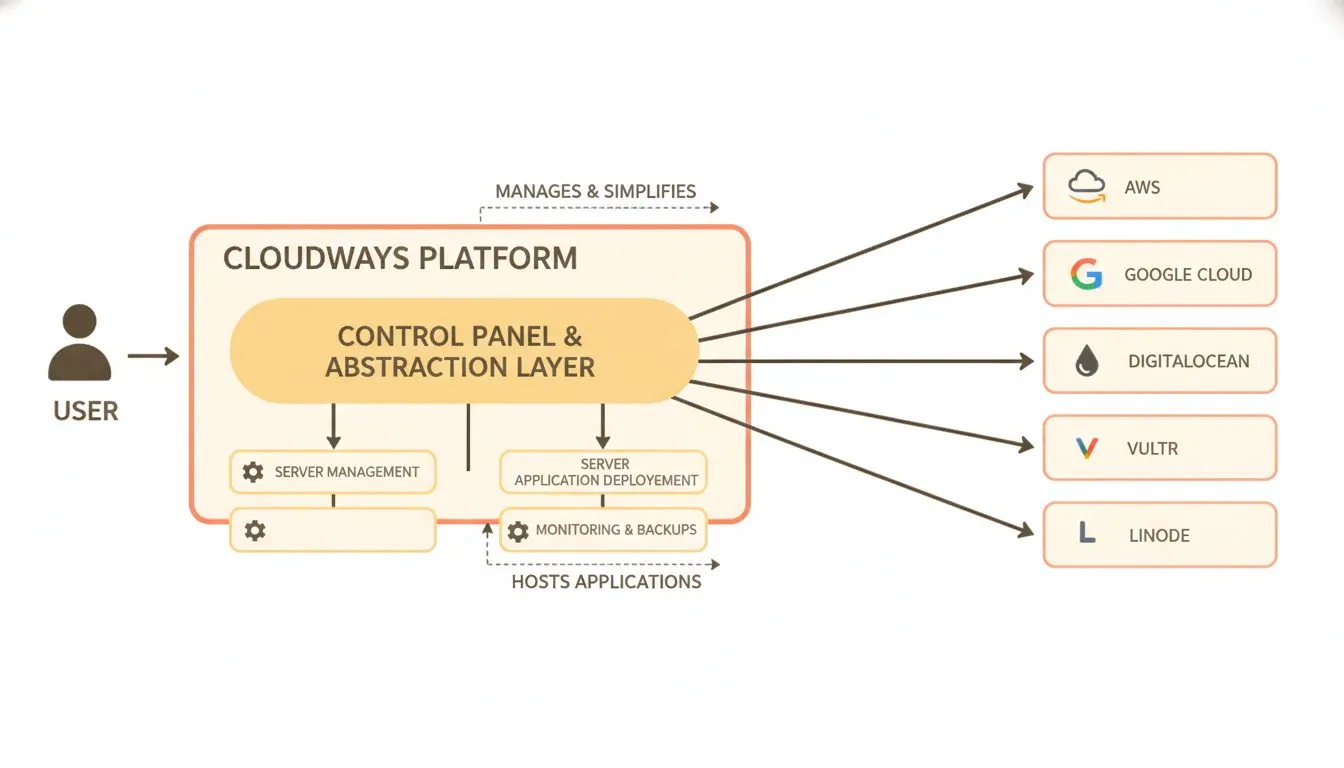
Cloudways acts as a management layer over your choice of underlying cloud infrastructure
Cloudways works differently from a classic shared host. It places your site on cloud servers and layers managed tools on top. You get more options, and with them, more decisions.
Why it suits accounting firms
Per Cloudways' pricing page, plans include free SSL and staging and cloning tools. A built-in firewall with IP blocking and a WordPress vulnerability scanner are listed. Support runs 24/7 through live chat and tickets.
WordPress sites are migrated free by the Cloudways team, according to the page's FAQ. Resources scale up when your site needs more.
Pricing, checked October 2026
The entry plan is $11 a month. It includes 2 GB of RAM, 50 GB of storage, and 2 TB of transfer.
Cloudways bills hourly and invoices after the month ends. A 3-day free trial needs no credit card.
The page mentions automated backups but doesn't spell out what's free. It lists offsite backup storage at $0.033 per GB. Confirm your backup terms before you commit.
Pros and cons
The strengths are flexibility, a low entry price, and room to grow. The trade-off is that you'll make more choices about server size and settings than on a shared plan. For a non-technical owner, that can feel like extra homework.
Who it's for
Owners who are comfortable with a dashboard and want to scale resources up and down. It suits a tech-minded bookkeeper more than a first-time site owner.
5. Rocket.net: edge-first speed for busy seasons
Rocket.net builds its plans around speed. A content delivery network sits in front of every site. For a firm that spikes every spring, that's a strong selling point.
Why it suits accounting firms
Per Rocket.net's pricing page, managed plans include an Enterprise CDN, a firewall, malware protection, and free SSL. Daily backups keep 30 days of history. Free migrations and a 99.99% uptime guarantee are listed too.
Support runs 24/7 through live chat and tickets, per the FAQ. Visits are listed as unmetered on managed plans.
Pricing, checked October 2026
Starter costs $30 a month billed monthly, or $25 billed annually. It covers one site with 10 GB of storage and 50 GB of bandwidth. A $1 first-month intro price and a 30-day money-back guarantee are listed.
The next tier, Pro, covers three sites at $60 monthly or $50 annually. Annual billing gives two months free, per the page.
Pros and cons
The strengths are unmetered visits, 30-day backups, and the money-back window. The trade-off is price compared with shared hosting. Starter's 10 GB is also modest if you store many images or files.
Who it's for
Firms with big seasonal swings and a budget to match. It works for owners who want performance handled without tuning it themselves.
6. Pressable: hourly backups for sites that change often
Pressable is a managed WordPress host with a strong backup story. Its plans list both hourly and daily backups. That's handy for a firm that edits pages during the season.
Why it suits accounting firms
Per Pressable's pricing page, every Signature plan includes free site migrations and 24/7 WordPress support. Staging and sandbox sites match your install count. Built-in security tooling and edge caching are listed too.
Hourly backups limit how much work you'd lose after a bad edit. That's a real comfort when a deadline-week change goes wrong.
Pricing, checked October 2026
Signature 1 costs $20.83 a month billed yearly, which is $250 a year. It covers one WordPress install, 30,000 visits a month, and 20 GB of storage. There's no free trial, but a 30-day money-back guarantee is listed.
Overages cost $1.20 per 1,000 visits and $1 per GB of storage. Watch those numbers if a tax-deadline surge could push you past 30,000 visits.
Pros and cons
Pressable's strengths are backups, staging, and a clear plan ladder. The trade-offs are the visit cap and overage fees. A quiet firm site may never hit them, but a busy one might.
Who it's for
Firms that update content often, such as tax alerts or a resource library. It suits owners who want a safety net more than a rock-bottom price.
7. WPX: hands-off fixes on a simple plan
WPX keeps its plan structure simple. Its pitch is that the support team fixes problems for you. For an owner who doesn't want to touch settings, that's the appeal.
Why it suits accounting firms
Per WPX's pricing page, every plan includes free site migration, daily backups, and malware scans with free removal. A Fixed For You Guarantee, 24/7 live chat, DDoS protection, and a CDN are listed. Business adds business email.
Free malware removal and hands-on fixes help a firm without an IT person. You aren't left digging through logs.
Pricing, checked October 2026
Starter costs $17.99 a month on month-to-month billing. It drops to $14.99 a month on a 1-year term and $11.99 on a 5-year term. Starter covers one site with 10 GB of storage and 100 GB of bandwidth.
Business covers up to five sites at $29.99 monthly. A full refund is available in the first 30 days.
Pros and cons
WPX's strengths are included fixes, free migration, and a refund window. The trade-offs are a one-site starter plan and a price above shared hosting. Business email arrives only on the higher tiers.
Who it's for
Solo and small firms that want someone else to handle problems. It fits owners who'd rather open a chat window than a settings panel.
Prices and features were checked on each provider's own pricing page in October 2026, using entry-level plans for one website. Flashcloud details come from our own plan pages. Promotions change often, so confirm before you buy.
So which one should you pick?
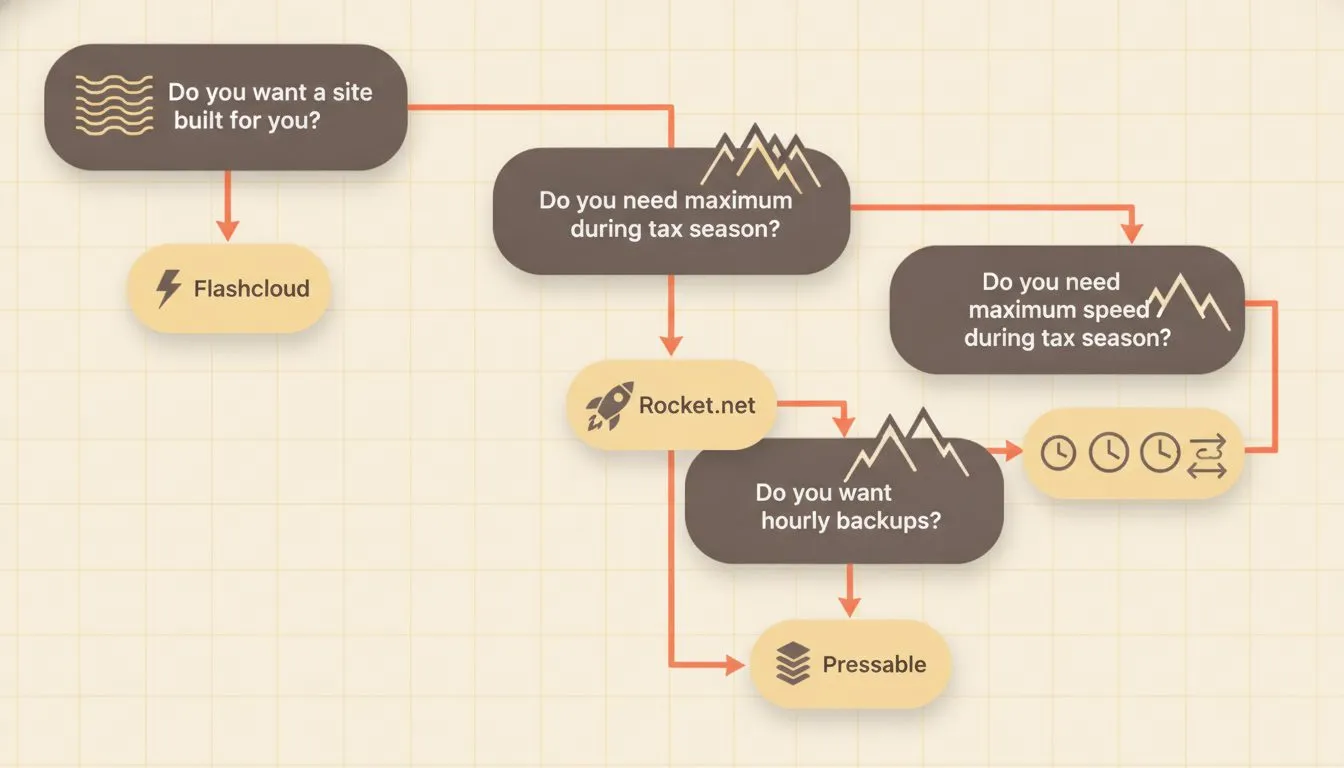
Follow this decision tree to find the right host for your accounting firm
Pick Flashcloud if you have no website and want one built for you. You get hosting, a domain, backups, and a five-page site in one plan. Fit and budget both line up for solo preparers and small firms.
Choose Kinsta or WP Engine if you want premium managed hosting and can pay for it. Kinsta leans on security and support. WP Engine leans on staging and daily backups.
Rocket.net suits firms with big seasonal spikes. Pressable fits sites that change often and need frequent backups. WPX works for owners who want problems fixed for them.
Cloudways is best for people comfortable with a more flexible control panel.
Still weighing what matters most? Our guide to how to choose web hosting walks through the checks that apply to any site. Professional firms share many of the same needs, and our guide to the best hosting for law firms covers a close cousin of this list.
Don't wait for March to find out your site can't cope. Set it up now, test your contact form, and confirm your backups. Then spend tax season on your clients, not your website.

Neycho Tepavicharov is the co-founder of Flashcloud, with nearly two decades in web hosting behind him and a hosting company he co-founded and sold along the way. He started Flashcloud to make hosting clearer, more generous, and genuinely supportive, and he writes about hosting, performance, how AI is changing the industry, and the occasional strong opinion about where it gets things wrong.
Connect on LinkedIn