The 6 best Weebly alternatives to move to before your account closes on December 26
Six places to rebuild a Weebly site, from a free site built for you to a full online store, with what each one costs, what it does well and who it suits.
If you're in an affected country, your Weebly site went offline on September 27. The dashboard still opens, but only until December 26. After that date, there's no login access at all.
The wind-down covers 67 countries, Khaleej Times reported. The list includes Nigeria, Malaysia, Singapore, the UAE, Turkey and Chile. Weebly said it is simplifying its global operations.
That leaves about six weeks. This guide covers six places to rebuild, from a free site built for you to a full online store. Each one comes with pricing and honest trade-offs.
One fact shapes every option. Weebly's export is a bundle of static files, not a ready-made site another platform can import. You're rebuilding, not copying, so saving your content today matters more than choosing perfectly.
The six options at a glance
Six places made the list, and each suits a different kind of Weebly site. Flashcloud has a person build your new website free. Shopify is the closest fit for stores.
Strikingly suits small sites and includes a free domain for the first year. Jimdo offers a free plan with no time limit. Carrd is the lowest-cost route for a single page.
Webflow gives hands-on designers the most control. The table below puts the numbers side by side.
Platform | Starting price | Best for | Key differentiator | Free plan or trial |
|---|---|---|---|---|
Flashcloud | $2.79/mo intro, $9.99/mo renewal (annual Start plan) | Owners who want the site built for them | Free starter website built by a person | No trial; anytime money-back guarantee, prorated |
Shopify | $29/mo billed yearly, $39/mo monthly | Selling products online | Built-in store tools | 3 days free, then $1/mo for 3 months |
Strikingly | $8/mo billed yearly | Small sites and portfolios | Free domain for the first year | Free plan available |
Jimdo | Free plan; paid tiers vary by term | Beginners testing the waters | Free plan with no time limit | Free plan, no card needed |
Carrd | $9/yr (Pro Lite), $19/yr with custom domain | One-page sites | Very low annual cost | Free account |
Webflow | $15/mo billed yearly | Designers who want control | Visual design with a CMS | Free Starter plan |
Prices come from each company's own pricing page. They change often, so confirm the figure at checkout.
Before you choose, save your site
Save your content first, whichever option you pick. In the Weebly editor, open Settings, then General, then Archive, and download the ZIP. Then go to Account Settings, open My Data, and use Download My Data.
Check what you actually got. The archive holds static pages and images, and it can miss individual blog posts. Store data such as products and orders usually needs a manual copy.
Next, look at your domain. If Weebly registered it, you'll need to unlock it and copy the EPP code. The 60-day transfer rules also apply, so don't change your registrant details first.
Finally, think about your old page addresses. If your domain is your own, you can redirect old addresses on the new host. Search engines' redirect guidance says to keep permanent redirects for at least a year.
Our step-by-step Weebly move guide walks through each of these with a six-week schedule.
How to pick your replacement
Start with one question: who will build it? A builder hands you the tools and expects you to use them. A done-for-you service hands you a finished site.
Our guide to website builders versus WordPress explains how the two paths differ over time. Builders are quicker to start. WordPress gives you more room to grow.
Then ask three practical questions: do you sell products, do you need your own domain, and can customers pay locally?
That last question matters in many of the 67 countries. Payment tools vary by location, so check before you commit.
Make sure you can leave next time
Weebly owners didn't choose this move, so it's worth making the next one easier. Three habits keep you in control:
- Keep your domain in your own name, at a registrar or host where you can unlock it and get the EPP code yourself.
- Pick a site you can export in a usable form. A WordPress site can move to another host as a working copy. Most closed builders only give you files.
- Keep your own copies of your text, images and product details, outside the platform.
1. Flashcloud: a new site, built by a person, free
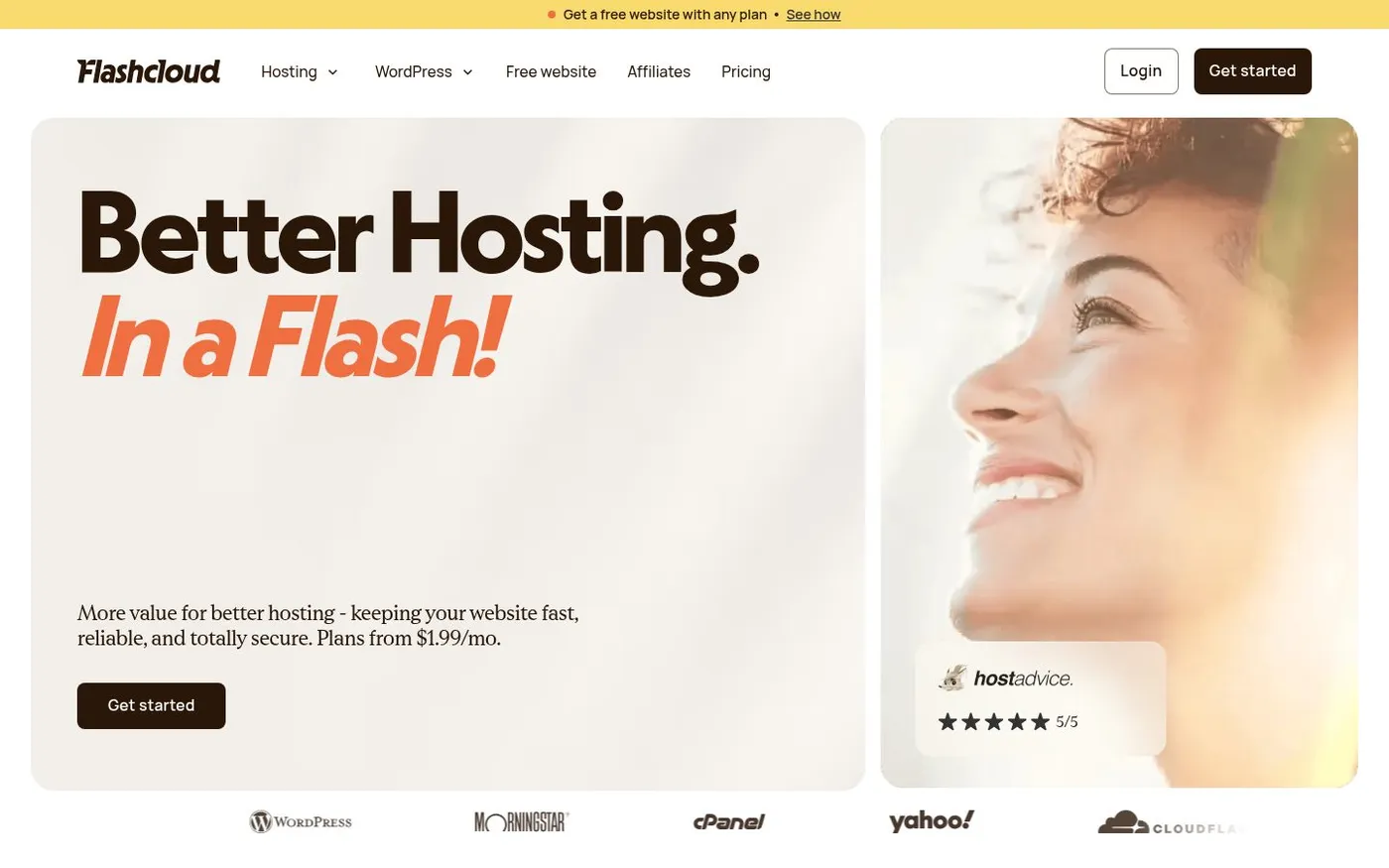
Flashcloud builds you a new website for free with any hosting plan, which solves the hardest part of leaving Weebly.
Fair warning: Flashcloud is our product, so we're far from neutral here. We've tried to give the other five options the same fair hearing.
Flashcloud is a web hosting company that launched in early 2026. Its founders bring nearly 20 years of hosting experience. It's newer and smaller than the long-running names, and we won't pretend otherwise.
Here's the Weebly angle. Weebly sites can't be exported in a form any host can import, so no host can simply copy yours. Flashcloud's answer is to build you a new website, free.
You don't need to know what to install. Pick a plan, tell the team what your business does, and they set it up.
Why it fits a Weebly move
A free starter website comes with every plan, monthly included. A person on the team builds it as a real WordPress site of up to five pages. It's not a drag-and-drop builder and it's not an AI generator.
The build usually takes one to two working days after you've described your business. You get one free revision, and it can be a complete redesign.
The site includes navigation, a contact form and mobile-friendly design. The team can also make a logo and supply starter text if you have none. Afterward, you can edit everything yourself, and because it's WordPress, you can take it with you if you ever leave.
What you'll pay
Hosting is the paid part. On the annual term, Start costs $2.79 a month for the first year, then $9.99. Grow is $3.79 renewing at $11.99, and Scale is $8.49 renewing at $22.99.
You can compare the three plans yourself. Start covers one site with 25 GB of storage. Grow and Scale cover unlimited sites.
The 3-year term works the other way. Start is $2.99 a month, renewing at $8.99. The annual term wins year one, and the 3-year term wins on total cost after that.
A domain is free for life on eligible extensions, with free privacy, on annual and 3-year plans. Backups, SSL and a CDN are included. Migration is free too, and if you prepaid Weebly for time you won't use, Flashcloud matches it with up to 6 free months on annual and 3-year plans. Cancel during your first term and Flashcloud refunds the unused time, prorated.
The good and the not-so-good
The good: You skip the learning curve, and the site is yours as editable WordPress. Support is human and runs 24/7. Flashcloud reports replies averaging under 15 minutes.
The not-so-good: The free site stops at five pages and has no online store. A store is quoted separately. Flashcloud's hosting is Linux-based, and it's a newer brand than most.
Local domain extensions may not qualify for free renewal. You can still keep such a domain where it is and point it to Flashcloud.
Who it's for
Flashcloud suits brochure-style sites: consultants, tradespeople, salons and small shops without a checkout. It's built for owners whose website matters but isn't their job. If that sounds like you, the free build removes the hardest part.
Flashcloud holds an aggregate 4.9/5 across 90+ verified reviews, and HostScore rated it A+. Treat those as early signals from a young brand, and check the live pages.
2. Shopify: built for selling
If your Weebly site sold products, Shopify is the closest like-for-like move. It's a store platform first and a website builder second. Everything revolves around products, orders and checkout.
Its FAQ says Shopify is available in nearly every country. Some features, including Shopify Payments, vary by location. Check which payment options your country gets before you start.
What it does
You get a product catalog, a cart, a checkout and inventory tools. Hosting is handled for you. A custom domain, SSL and unlimited web hosting come on all four plans.
You can enter products by hand or import them from a spreadsheet. That helps, because Weebly's archive doesn't include store data. Copy your product details out of Weebly now.
What you'll pay
On its pricing page, Basic is $29 a month billed yearly, or $39 billed monthly. Grow is $79 a month billed yearly. The header offers a three-day trial, then $1 a month for three months.
Online card rates start at 2.9% + 30¢ on Basic. Third-party payment gateways add a 2% fee on Basic. If your country lacks Shopify Payments, that second figure may apply to you.
Strengths and limits
The good: Selling tools come built in, and you don't manage servers. The checkout is designed for conversions. Growing from ten products to a thousand is straightforward.
The not-so-good: It costs more than most builders, and fees add up. A simple brochure site doesn't need it. You'll also rebuild your design from scratch.
Who it's for
Shopify suits anyone whose Weebly site was mostly a shop. It's overkill for a five-page services site. If selling is your main job, the monthly cost is easier to justify.
3. Strikingly: small sites with a free first-year domain
Strikingly is a drag-and-drop builder known for simple, clean sites. It fits owners who want a handful of pages without a steep learning curve. The paid plans are priced to match.
Each paid plan includes a free domain for a year and free SSL for custom domains. That removes two early costs. It also gives you a clear step to plan around at renewal.
What it does
Plans are organized by how many sites and pages you need. Limited covers up to five pages per site and a single product. Pro raises that to 100 pages and up to 300 products.
Custom email addresses cost $25 a year and need a domain. Domain names otherwise cost $24.95 a year. Check those costs against your current setup.
What you'll pay
On its pricing page, Limited is $8 a month billed yearly. Pro is $16 a month and VIP is $49 a month, both billed yearly. The page didn't show separate monthly-billed prices.
Transaction fees differ by plan. Limited charges 5%, Pro charges 2%, and VIP charges 0%. If you plan to sell anything, those numbers matter.
Strengths and limits
The good: Entry pricing is low, and the first-year domain is free. The editor is simple. Pro allows far more pages than Limited.
The not-so-good: The five-page cap on Limited is tight for an older Weebly site. The 5% fee on that plan is high for selling. Prices are shown for yearly billing only.
Who it's for
Strikingly suits freelancers, local businesses and portfolios that need a few polished pages. It's a reasonable fit if you want to build it yourself and keep costs steady. A shop with many products belongs elsewhere.
4. Jimdo: a free plan with no time limit
Jimdo is a website builder with a free plan that has no time limit. You don't need a credit card to start. That makes it a low-risk place to rebuild while the clock runs.
Jimdo says its Free plan includes a website, bookings and payments. Paid plans add a custom domain, invoices and an online shop. An AI assistant comes with every plan.
What it does
Jimdo's Companion AI suggests next steps and carries out tasks after you approve them. Free users get 25 messages a day. That can speed up a first draft of your pages.
Your domain stays portable. Jimdo says you can transfer it to another provider at any time. That's a good sign after the Weebly experience.
What you'll pay
Paid plans are billed monthly, for 12 months or for 24 months. Longer terms cost less per month. Prices shown include VAT, so check the plan card for your current figure.
The first domain is free for the first term on any paid plan. After that, domain renewal is €26 a year. Plan that cost into your budget now.
Strengths and limits
The good: The free plan costs nothing and never expires. Bookings and payments work without a paid upgrade. The AI helper is a useful nudge.
The not-so-good: A custom domain needs a paid plan. An online shop does too. Free sites also use a subdomain, which looks less professional than your own address.
Who it's for
Jimdo suits beginners who want to test a new site before paying. It also fits small service businesses that take bookings. If your Weebly site was simple, this is an easy place to rebuild.
5. Carrd: the lowest-cost route for one page
Carrd is built around single-page sites. It's popular for personal pages, event pages and simple business cards. If your Weebly site could fit on one scrolling page, Carrd can be remarkably affordable.
You can create a free account to try it. The paid plans are priced per year, not per month. That changes how you budget.
What it does
Carrd gives you a clean, responsive page with sections you arrange yourself. The Pro Standard plan lets you publish sites to custom domains you own, with full SSL support. Pro Lite doesn't include custom domains.
Plans differ mainly by how many sites you can run. Pro Lite covers three sites. Pro Standard covers ten, and Pro Plus covers 25.
What you'll pay
On its pro page, Pro Lite is $9 a year. Pro Standard is $19 a year and Pro Plus is $49 a year. All three are billed yearly.
Those figures are a fraction of a typical builder subscription. Add your own domain registration and renewal separately. Check where your domain will live first.
Strengths and limits
The good: The annual price is very low, and a custom domain arrives with Pro Standard. It's quick to set up. Running several small sites costs little.
The not-so-good: One page can't hold a large multi-page site. Don't expect a blog or a full store from it. Condensing an older site takes decisions.
Who it's for
Carrd suits freelancers, creators and small businesses with a simple message. It also works for an event or a campaign. A shop or a site with a dozen pages needs something bigger.
6. Webflow: visual design with real control
Webflow is a visual design platform with a built-in CMS. It gives you precise control over layout, and it publishes clean sites. It also asks more of you than a Weebly editor did.
Its free Starter plan lets you try it for as long as you like. You can learn the tool before you spend anything. That's useful, because Webflow rewards patience.
What it does
You design pages visually, and you can manage content through collections. The Starter plan publishes to a webflow.io subdomain only. It includes two static pages, 1 GB of bandwidth and 50 form submissions.
A paid Site plan is required to publish to a custom domain. That applies to both the Basic and Premium plans. Plan on a paid tier for a real business site.
What you'll pay
On its pricing page, Basic is $15 a month billed yearly. Premium is $25 a month billed yearly. The page didn't show monthly-billed prices for either.
Webflow lists these as per-site prices. A second site means a second plan. Budget for that if you run more than one.
Strengths and limits
The good: Design control is excellent, and the free plan has no deadline. The CMS handles blogs and structured content well. The results look polished.
The not-so-good: The learning curve is steeper than Weebly's. The free plan's two-page limit is tiny. Without time to learn it, you'll spend more hours than money.
Who it's for
Webflow suits designers and hands-on owners who care about every detail. It's also a fair pick if you plan to grow into something larger. Owners who just want a site live fast should look at the first option.
Start here: pick one and move this week
Six weeks is enough time if you start now. Save your archive and data first. Then choose the path that matches how much work you want to do:
- Want it done for you? Flashcloud's team builds your new site free with any plan.
- Selling products? Shopify is the closest fit.
- Small site on a budget? Strikingly or Jimdo are sensible starting points.
- One page is enough? Carrd costs very little.
- Love design work? Webflow rewards the effort.
Whichever you pick, protect your domain before December 26.
Get your Weebly site rebuilt free with Flashcloud
Flashcloud's team rebuilds your site as a WordPress site of up to five pages, free with any plan, and a person answers when you have questions. Your domain can come across with free renewals on eligible extensions, on annual and 3-year plans, and migration is free.
Ready to move without paying for a rebuild? See how the free starter website works.
Prices were checked on each company's pricing page in November 2026.

Neycho Tepavicharov is the co-founder of Flashcloud, with nearly two decades in web hosting behind him and a hosting company he co-founded and sold along the way. He started Flashcloud to make hosting clearer, more generous, and genuinely supportive, and he writes about hosting, performance, how AI is changing the industry, and the occasional strong opinion about where it gets things wrong.
Connect on LinkedIn