Website builder vs WordPress: which one should you use in 2026
Compare setup speed, ongoing maintenance, and total ownership to see which platform fits your technical comfort level over the long haul.
Choose a website builder if you want to be live in days and never touch software again. Choose self-hosted WordPress if you want to own every part of your site and change it in any direction. A builder trades control for predictability. WordPress trades predictability for control. Both are legitimate. The right pick depends on how you work.
You have already done the hard part. You have narrowed the field down to two: a website builder or WordPress. Now you just have to pick one. This is written for the small business owner, the freelancer, the creator, the person with a side project, and anyone building a personal site who wants a straight answer rather than a shrug.
This piece sits under our larger guide on how to get a website, which compares four routes and prices them. We will not repeat that here. Instead, we go deep on the two you are choosing between, and we answer the question the pillar does not: what does each route look like two years in, when the site needs changing rather than building.
Every price in this guide was taken from each vendor's own website in September 2026.
First, a name that confuses everyone
Before any comparison, one thing has to be cleared up. WordPress.com and WordPress.org share a name and are different things. WordPress.com is a hosted service where the software runs on Automattic's infrastructure and you pay a monthly fee. WordPress.org is free software you install on hosting you choose.
For the rest of this piece, "WordPress" means self-hosted WordPress on your own hosting. WordPress.com is covered alongside the builders, because commercially, that is how it behaves.
What a website builder actually is
A website builder is a hosted tool. You sign up, pick a template, drag blocks around, type in your words, and publish. The company runs the software and the servers. You never see either.
That is the whole appeal. No installing, no updating, no plugins, no maintenance. The builder handles security, backups, and performance in the background. You focus on the content.
The catch is that you work inside their box. What the tool can do, you can do. What it cannot do, you cannot do either. For many sites, the box is more than big enough.
What self-hosted WordPress actually is
Self-hosted WordPress is free software you install on hosting you control. It powers a huge share of the web, from one-page brochures to large publications and stores.
You get themes for design and plugins for features. Want a booking system, a shop, a membership area, or a multilingual site? There is a plugin. This is the flexibility a builder cannot match.
The price of that flexibility is responsibility. You choose the hosting, you keep the software updated, and you fix things when they break. It is not hard, but it is work. Good WordPress hosting removes a lot of that friction, which we come back to at the end.
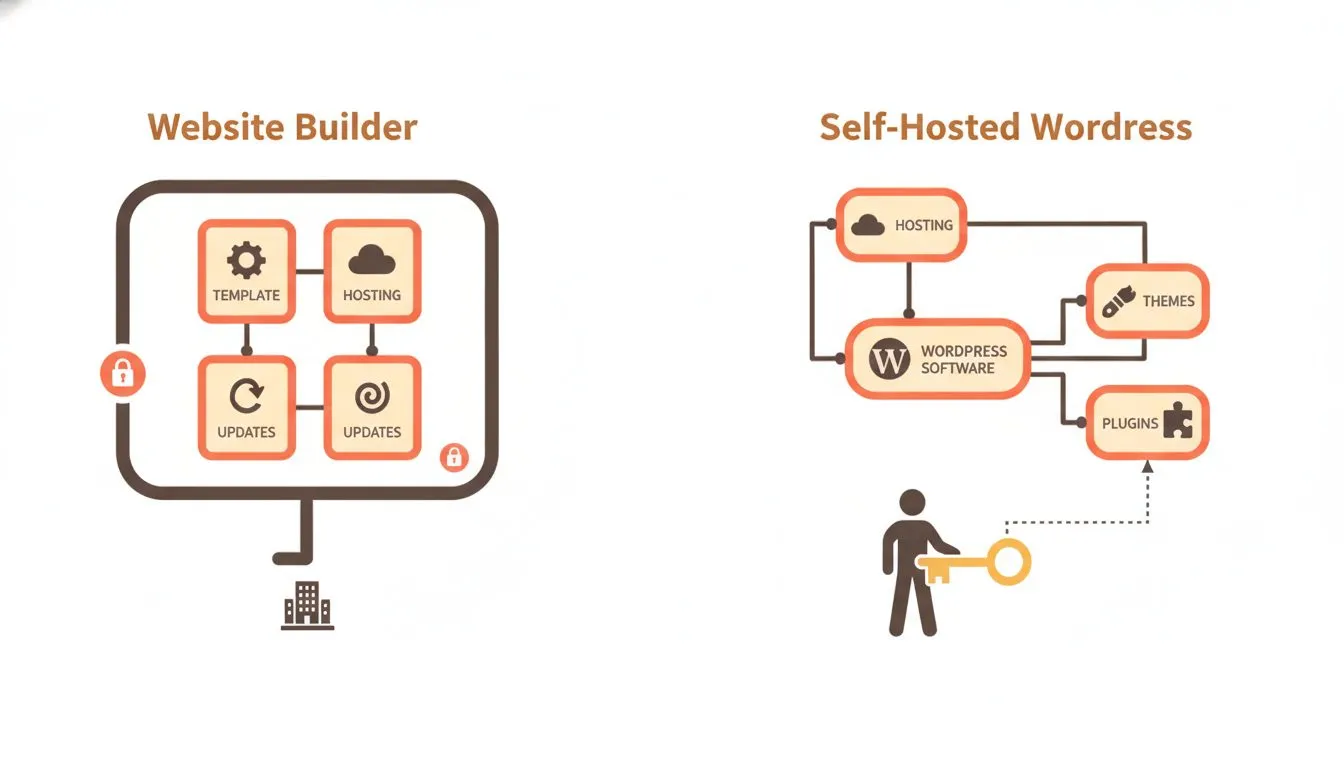
A builder keeps everything in one managed box. WordPress hands you the pieces and the keys.
The five builders, compared
Choosing "a builder" is only half the decision. You still have to pick which one. Here are five, with real figures, and what each one actually gates behind its tiers.
Squarespace
Squarespace runs four public tiers. Basic is $19/mo monthly or $12/mo billed annually, which works out to $144 a year. Core is $27 or $17, so $204 a year. Advanced is $36 or $25, so $300 a year. Premium is contact-sales with no published price.
There is a 14-day trial with no card required, and no free plan. The free custom domain applies to annual billing only. Store transaction fees are 2% on Basic and 0% on Core and Advanced. On digital content and memberships, it is 7% on Basic, 5% on Core, and 0% on Advanced.
One myth to correct: Squarespace branding is not locked behind a higher tier. Its own support article calls the "Made with Squarespace" footer optional and gives steps to remove it on any plan, including Basic.
Wix
Wix has four public paid tiers: Light at $19/mo, Core at $29/mo, Business at $39/mo, and Business Elite at $159/mo. Light is the first tier that removes Wix branding and connects a custom domain. Ecommerce does not arrive until Core, so the entry paid plan cannot take payments.
Read the fine print. Every price on the Wix plans page is billed yearly and paid in full upfront, then shown as a monthly figure. Wix publishes no renewal price at all, and its own footnote says the USD figures are displayed for reference only.
Weebly
Weebly, owned by Square, lists Personal at $13/mo billed annually or $16 month-to-month, and Professional at $15/mo annually or $20 monthly. Personal is the first tier that connects a custom domain. Professional is the first tier that removes the Square ads, adds unlimited storage, and includes a free domain.
That produces an odd middle ground. On Personal, you can pay for your own domain and still display someone else's advertising. Weebly publishes no storage or bandwidth figure for its free tier at all.
WordPress.com
WordPress.com Personal is $2.75/mo on a 36-month term, $3.25 on 24 months, $4 on 12 months, or $9 monthly. The list price is $9. The renewal is tiered by the term you first buy: $3.50 on 36 months, $4 on 24, $5 on 12, and $9 monthly. Premium is $5.50 on 36 months, Business is $17.50, and Commerce is $31.50. Storage runs 6 GB on Personal, 13 GB on Premium, and 50 GB on Business and Commerce.
Two things are worth stating. Plugins are available on every paid tier, including Personal, which is a change from how this platform is usually described. And on monthly billing, three lines are struck through on the plan cards: the free domain for one year, and free support. On Business and Commerce, that struck-out line reads "Free 24/7 priority expert support." A platform withdrawing support from monthly customers is unusual enough to name.
GoDaddy Airo
GoDaddy Airo is free to start with 50 AI credits a month and no credit card required. Those credits expire at the end of each billing cycle and do not roll over. The site it generates is AI-built rather than designed by a person. GoDaddy's Economy hosting is $5.99/mo on a 36-month term, renewing at $11.99.
How to choose between them
Ignore the marketing and look at what each one gates. Four things matter:
- Branding. When does the platform's footer or ads disappear? Squarespace lets you remove branding on any plan. Wix and Weebly gate it behind a paid tier.
- Custom domain. Wix and Weebly gate this by tier, starting at Light and Personal respectively. Squarespace gates it differently: the free domain comes with annual billing on any plan, and disappears if you pay monthly.
- Payments. Can the entry plan take money? On Wix, no, not until Core.
- Storage. WordPress.com publishes clear numbers: 6 GB on Personal, 13 GB on Premium, 50 GB on Business and Commerce. Weebly publishes no free-tier figure at all.
If free tiers are what you are weighing up, our roundup of companies offering a free website for a first-time business owner goes wider than this list.
What year two looks like
This is the part most comparisons skip, and it is the reason this article exists. The first year is easy to price. The second year is where the two routes diverge.
On a builder, the price is predictable and the site is finished. Changing it means editing it yourself in the same tool. Nothing breaks, nothing needs updating, and nothing expires. That predictability is the whole product. You know exactly what next year costs, and you know the site will still be there, working, without you touching it.
On WordPress, year two is where the range shows. A site built on free themes and free plugins costs nothing beyond hosting. A site on a premium stack costs $436 to $655 a year before hosting, and only three of those vendors publish a renewal price at all: Astra, WPForms, and Rank Math. For everything else, year two is unknown rather than equal to year one.
WordPress also needs maintaining. Core updates, plugin updates, and the occasional plugin that stops working after one of them. None of it is hard, but it is work a builder does not ask of you.
Here is the honest trade, stated plainly: a builder trades control for predictability, and WordPress trades predictability for control. Neither is wrong. The question is which one you would rather live with when the novelty of launching has worn off.
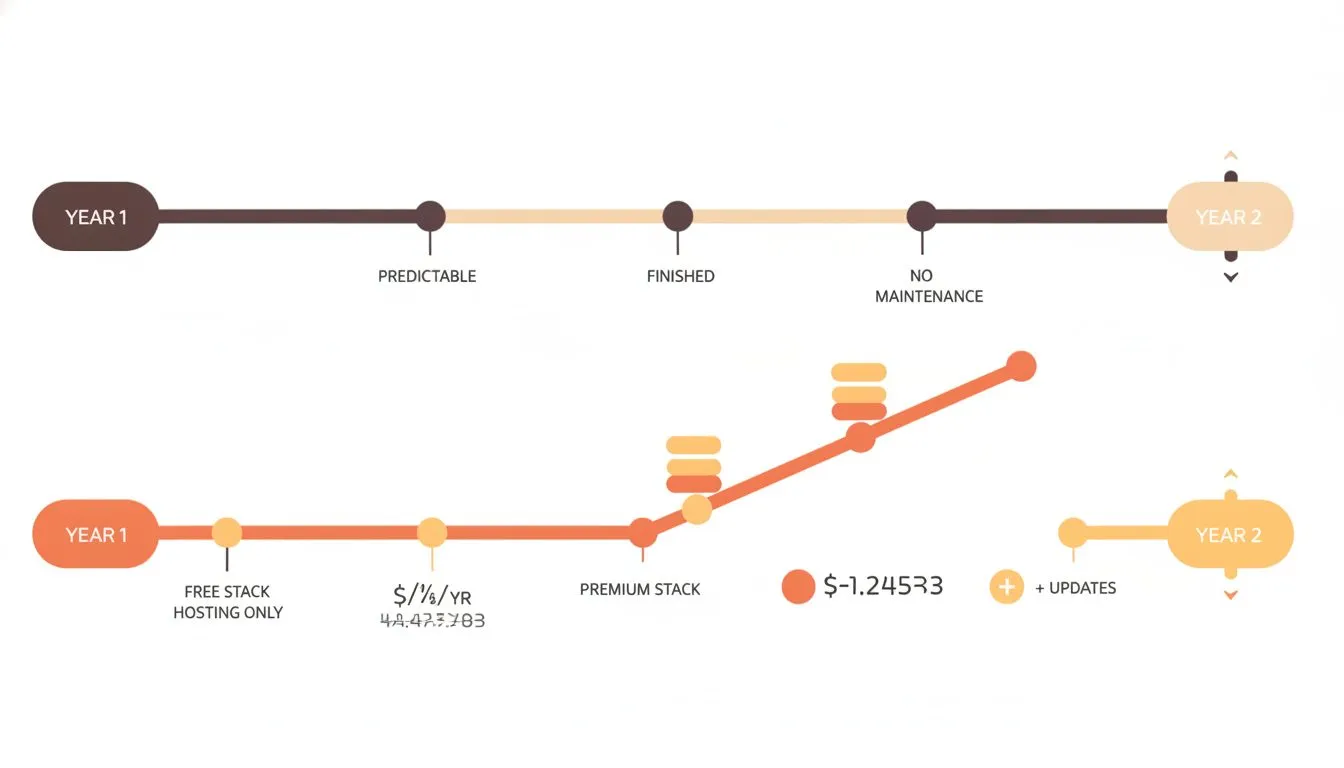
Year two is where the two routes stop looking the same.
Switching between them, in both directions
Most guides only cover leaving a builder. The full picture goes both ways, and the difference between the two directions matters more than people expect.
Builder to WordPress
Take Squarespace as the worked example, using its export documentation updated 12 February 2026. The export is a single XML file in WordPress format only. Its own article states the export "can only be in a WordPress format."
What exports:
- Layout pages
- One blog page with posts and up to 1,000 comments per post
- Text blocks and image blocks
- Gallery pages
What does not export:
- Album, cover, index, info, calendar, portfolio, and store pages
- Page-specific headers, footers, and sidebars
- More than one blog page
- Dropdowns, audio blocks, product blocks, and video blocks
- Drafts, style settings, and custom CSS
There are three conditions, all stated by Squarespace. The site must be active and published, because "It's not possible to export content from a trial site." Squarespace to Squarespace is not supported, because "It's not possible to export content from one Squarespace site and import it into another." And images may not migrate, since a self-hosted WordPress import may pull only reference links, which stop working once the Squarespace site does.
Worth noting: other builders publish less than this. Squarespace documents its limits openly, which is more than most manage.
WordPress to a builder
This direction is easier to describe and harder to do well. Your files and database are yours, and you can export them. But there is no import path into most builders that preserves your layout. In practice, that means rebuilding rather than migrating. Nobody publishes a tool for it, because the tools do not exist.
So here is the point for you. Leaving WordPress is a rebuild you control. Leaving a builder is a rebuild constrained by what the export includes. Decide which of those you would rather face before you commit, not after.
Which one fits you
No more argument, just the matches. Find the line that sounds like you.
- You want to be live in days and never touch the technical side. Pick a builder. Squarespace if design matters most, WordPress.com if you want plugins on an entry plan.
- You want to own everything. Pick self-hosted WordPress. The files and database are yours from day one.
- You are selling products. Check the payment gate. Squarespace Core or Advanced for lower transaction fees, or WordPress with a store plugin if you want full control of the checkout.
- You expect the site to change a lot. Pick WordPress. Its plugins and themes let you extend in almost any direction without switching platforms.
- You are not sure. Start with the route that is easier to leave. On that measure, WordPress wins, because your files and database are yours from the start, so nothing traps you.
The bottom line
Pick the platform that fits how you work today. If you want a site that is finished, predictable, and maintenance-free, a builder is a genuinely good answer. If you want to own everything and grow in any direction, self-hosted WordPress is built for exactly that.
Whichever you choose, the hosting behind it decides how fast and reliable it feels. Flashcloud runs high-performance web hosting with a free starter website and hassle-free migration built in, so your platform choice is backed by something solid. Make the decision that suits you, then give it hosting strong enough to keep up.

The Flashcloud team shares hosting know-how, product news, and honest guidance to help you get the most from your website.
Connect on LinkedIn