Best Free Web Hosting for College Students in 2026
Seven free hosting options for students in 2026, two of which support PHP and MySQL, and one that requires a university email to unlock.
"Free web hosting" usually means one of two things. Either a real, permanent free tier with honest limits. Or a trial with a deadline, dressed up as something bigger.
A college student hosting a résumé site or a class project doesn't have room for the second kind. A project due Friday can't disappear because a trial ran out.
This list covers seven options that are free right now, not free-until-you-forget-to-cancel. We checked each provider's own documentation and pricing pages, dated below.
This is about hosting you build or code on, not drag-and-drop website builders. For those, Flashcloud's roundup of free website options covers that separately.
Just over 19 million students were enrolled in US degree-granting institutions in fall 2023, per federal data. A good share of them will need a website before they need a paycheck.
One of the seven needs a university email to unlock. The other six are open to anyone, student or not. They just happen to suit a student budget especially well.
Whichever option you land on, the same question applies: what does "free" actually include, and where does it quietly stop?
The quick comparison
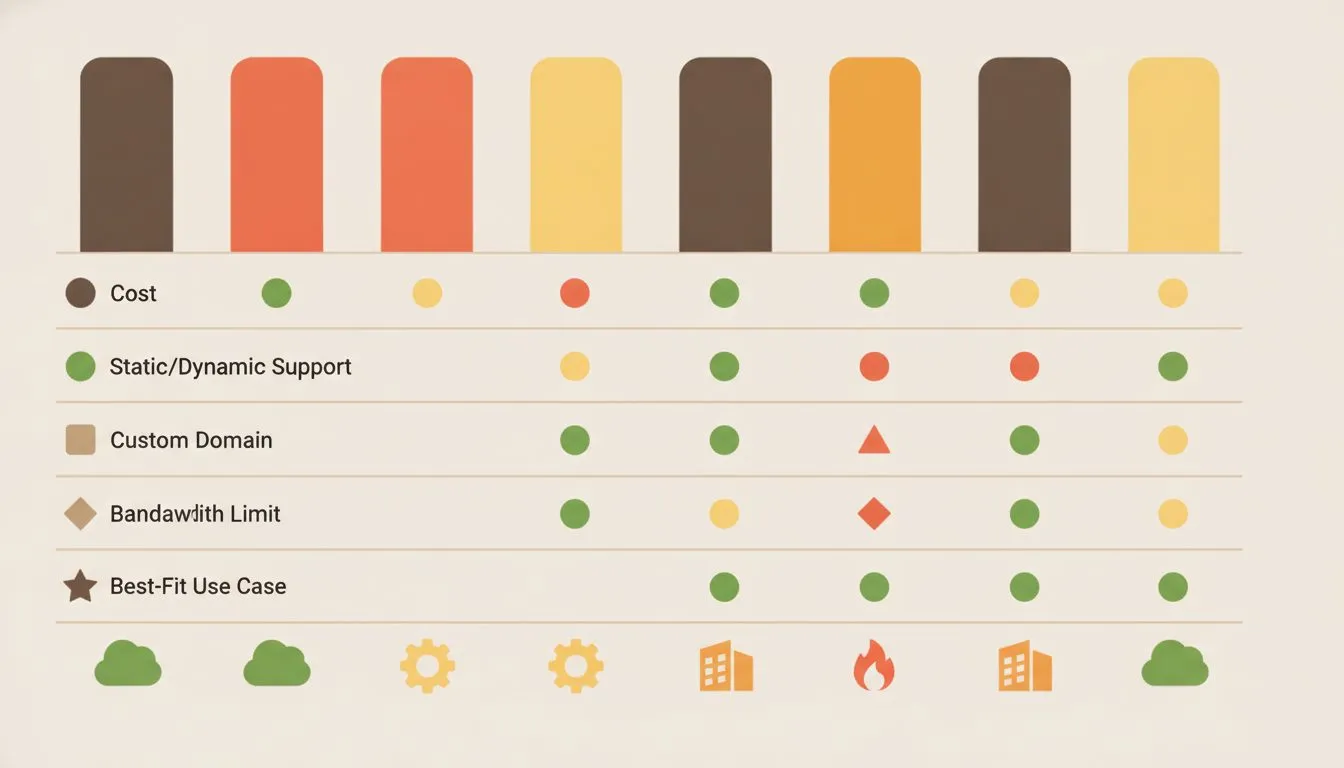
At a glance: how the seven free hosts stack up on the metrics that matter most to students.
Two of these seven give you real server-side hosting: PHP, a database, and the ability to run WordPress. The other five are built for static sites and modern app code.
That covers plenty of student projects, but not all of them. Here's how all seven compare before the details.
Platform | Truly free, or limited? | Great for | Free plan's biggest catch | Coding required? |
|---|---|---|---|---|
Flashcloud (student plan) | Free for 12 months, verified students | A real WordPress or PHP site, email included | No free domain; renews at a discount after year one | No |
GitHub Pages | Free forever | Portfolios, project docs, static résumés | Static only, and commercial sites are barred | Some |
Cloudflare Pages | Free forever | Fast static sites and JAMstack projects | 500 builds a month, no server-side database | Some |
Netlify | Free, credit-based | Quick static deploys with forms and functions | Runs on monthly credits that can run out | Little to some |
Vercel | Free (Hobby plan) | Personal coding projects, Next.js apps | Personal use only, no commercial projects | Some to a lot |
InfinityFree | Free forever | Real PHP and MySQL on a tight budget | Deactivated after 20 to 60 days with no visitors | Little |
Render | Free static; limited free backend | Full-stack projects with a small backend | Free databases are deleted after 30 days | A lot |
The GitHub Student Developer Pack, before anything else

The GitHub Student Developer Pack unlocks a constellation of free developer tools with one verified email.
One thing worth flagging before the list. Student status unlocks more than hosting, and the biggest single bundle is the GitHub Student Developer Pack.
It is free, it requires proof of enrollment, and it covers the one cost none of the seven plans below fully solves: the domain.
On domains specifically, the pack currently includes a free .me registration for one year through Namecheap, a free .TECH domain for one year, and a free domain from Name.com across more than 25 extensions including .live, .studio, .software, .app and .dev. Namecheap also throws in one free SSL certificate for a year.
Beyond domains it carries $13 a month of Heroku credit for 24 months, $100 of Microsoft Azure credit, $50 of MongoDB Atlas credit, free GitHub Pro while you are a student, and 180 core hours a month of Codespaces.
Two things to know before you plan around it. Most of the timed offers start the moment you set them up, not the moment you join, so claiming everything on day one burns the clock on offers you may not need yet. And the domain offers are one year only, which is the same trap every host's free-domain offer has: the second year is a normal bill.
Eligibility is stricter than a .edu check. GitHub asks for proof of current enrollment, which can be a school ID with a current date, a class schedule, a transcript, or an enrollment letter. Their own note adds that once students from your school have verified with an academic email, later applicants from that school must use one too.
1. Flashcloud: a full year of real hosting, verified by your student email
Quick note: Flashcloud is the company behind this article, so weigh that as you read this entry. We've held the other six to the same standard we set for ourselves.
Every other option on this list is a slice of a much bigger, general-purpose platform. Flashcloud built one specifically for students.
Verify a university email - a .edu address, or an equivalent from outside the US. The Start plan is then free for 12 months, no credit card, no trial clock.
What's actually free
You get 25 GB of NVMe storage, unlimited bandwidth, and a free SSL certificate that renews itself. That's the same kind of free, automated certificate that Let's Encrypt helped make standard across the web.
Daily backups keep 30 days of history, and a global CDN is included, not sold separately. Email is where this plan pulls ahead of a typical free host.
You get unlimited email accounts on your own domain. That means you@yourdomain.com is included, not a separate monthly charge elsewhere.
Support is human and available around the clock, not a chatbot reading you a help article.
Where it comes up short
The plan doesn't include a free domain. You'll register one separately, or point one you already own. Across the major registrars a .com runs roughly $12 to $20 a year. Watch the renewal rather than the first year: GoDaddy, for instance, advertises a .com for $0.01, but that price requires a three-year term where years two and three are $22.99 each, and it renews at $22.99 after that.
It's also limited to one website. Running a personal site and a class project separately means upgrading, or splitting them across two platforms on this list.
After the free year
At month 13, the plan renews at $4.99/mo. That's half of Flashcloud's standard $9.99/mo Start rate, per flashcloud.com pricing checked in September 2026.
You can upgrade to a bigger plan anytime your site outgrows 25 GB.
Who it's actually for
This fits a student who wants a real website - WordPress, a PHP project, or a small store test. It also fits anyone who wants a professional email address without a separate bill for it.
It's a weaker fit if all you need is one static portfolio page. For that, one of the next six probably costs less effort.
2. GitHub Pages: free forever, if a static page is enough
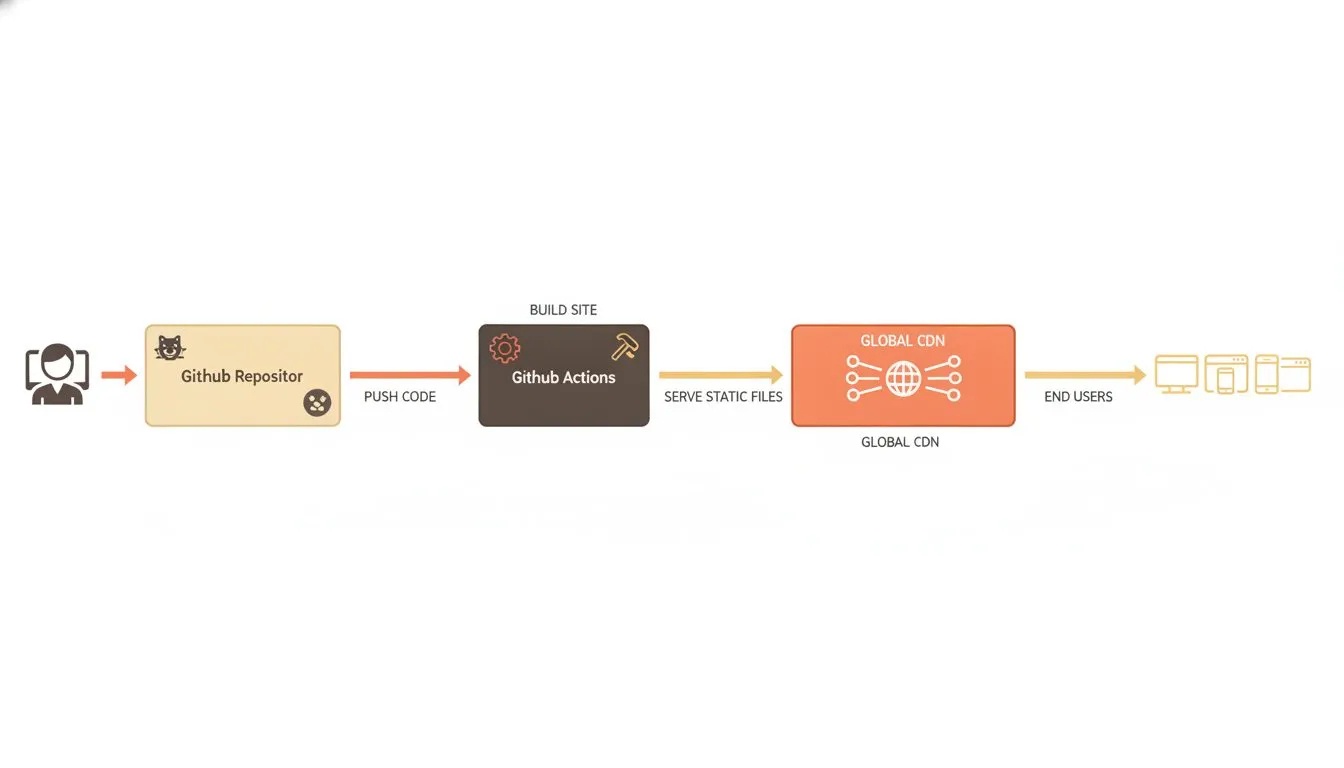
How a commit becomes a live page: GitHub Pages build and deploy flow.
GitHub Pages turns files in a code repository into a live website. Push your code, and the site updates on its own.
It's a natural fit if you're already learning Git, which a lot of computer science coursework now assumes.
What's actually free
Hosting itself costs nothing, on a public repository, forever. You get a default address at sign-up, or you can connect a domain you already own, with automatic SSL from Let's Encrypt.
GitHub does publish limits, and they are worth knowing rather than assuming. A published site "may be no larger than 1 GB", source repositories carry "a recommended limit of 1 GB", and sites have "a soft bandwidth limit of 100 GB per month". Builds are capped at ten an hour, a limit GitHub waives if you publish through a custom Actions workflow.
Where it comes up short
This only serves static files, meaning HTML, CSS and JavaScript that don't run on a server. No database, no PHP, no WordPress. That rules out anything needing a login system or a shopping cart, unless you bolt on a separate backend service.
There's also a commercial-use restriction most people miss. GitHub's own wording: Pages "is not intended for or allowed to be used as a free web-hosting service to run your online business, e-commerce site, or any other website that is primarily directed at either facilitating commercial transactions".
Students get a specific carve-out worth knowing: "Using GitHub Pages to create a copy of an existing website as a learning exercise is not prohibited", provided you wrote the code, the site collects no user data, and it carries a clear disclaimer.
After the free tier
There's no paid upgrade to grow into here. A project needing a database usually adds a different service alongside it instead.
Who it's actually for
Close to ideal for a coding portfolio, a project's documentation, or a static résumé page. A poor fit for a WordPress blog or anything storing user data.
3. Cloudflare Pages: generous limits for static and JAMstack sites
Cloudflare Pages hosts static sites and modern frameworks, deployed straight from a code repository. It runs on the same network Cloudflare uses to protect a large share of the web.
What's actually free
You get 500 builds a month and up to 20,000 files per site. There's no published bandwidth cap for normal use, and custom domains come with automatic SSL.
The global CDN means pages load fast almost everywhere. That matters if you're sharing a portfolio with recruiters overseas.
Where it comes up short
Like GitHub Pages, this is static-first. Dynamic, database-backed features need a separate set of serverless tools, with a real learning curve attached.
Individual files are capped at 25 MiB each, so large media needs a different storage approach.
After the free tier
Paid tiers exist for teams needing more builds, but most individual student projects never hit those limits.
Who it's actually for
A strong pick for a fast-loading portfolio or a small JAMstack project. Less useful if you need a traditional database-backed site.
4. Netlify: fast static deploys, on a monthly credit budget
Netlify popularized the "connect your repo, get a live site" workflow that Cloudflare Pages and Vercel now offer too. It's still a common first choice for student web projects.
What's actually free
The free tier runs on 300 monthly credits instead of a flat quota. Deploys, bandwidth, and requests each draw down credits at different rates, and unused credits don't roll over.
You also get serverless functions and basic storage, all inside that same budget.
Where it comes up short
A busier project can burn through 300 credits faster than expected, especially with heavy function use. Deploys cost 15 credits each, bandwidth costs 20 credits a gigabyte, and none of it rolls over.
Here's the part that catches people out. When one project hits the limit, Netlify pauses everything on the account, not just the project that overspent. Their own wording: "if one project exceeds its limits, all projects on your account will be paused." So a busy class project can take your portfolio offline with it.
Only one build runs at a time, which slows down a team project with several people pushing changes.
After the free tier
Paid plans unlock more credits and remove the pause-when-exhausted behavior. Few single-student projects need to go there.
Who it's actually for
Solid for a static or lightly dynamic portfolio, especially one built with a modern framework. Keep an eye on the credit meter once real traffic shows up.
5. Vercel: built for modern frameworks, restricted to personal use
Vercel is the company behind Next.js, and its free Hobby plan is tuned for exactly that kind of project. It's a common pick in courses that teach React-based frameworks.
What's actually free
The Hobby plan includes 100 GB of data transfer and a million edge requests a month. Deployments happen straight from a code push, with a preview link for every change.
Where it comes up short
Vercel's own terms restrict the Hobby plan to non-commercial, personal use, and their definition is broader than most people expect. It covers requesting payment, advertising a product or service, "affiliate linking as the site's primary purpose", and "the inclusion of advertisements, including but not limited to online advertising platforms like Google AdSense".
So a portfolio carrying a couple of affiliate links, or a single ad unit, is technically outside the plan. One exception they state explicitly: "Asking for Donations does not fall under commercial usage."
Functions are capped at five minutes of runtime, so anything long-running needs a different host.
After the free tier
A paid team plan removes the personal-use restriction and adds collaboration tools, priced per seat.
Who it's actually for
Great for coursework built in Next.js or a similar framework, or a personal portfolio with no commercial angle. Not the home for a project you're already trying to monetize.
6. InfinityFree: real PHP and MySQL, if you can live with the trade-offs
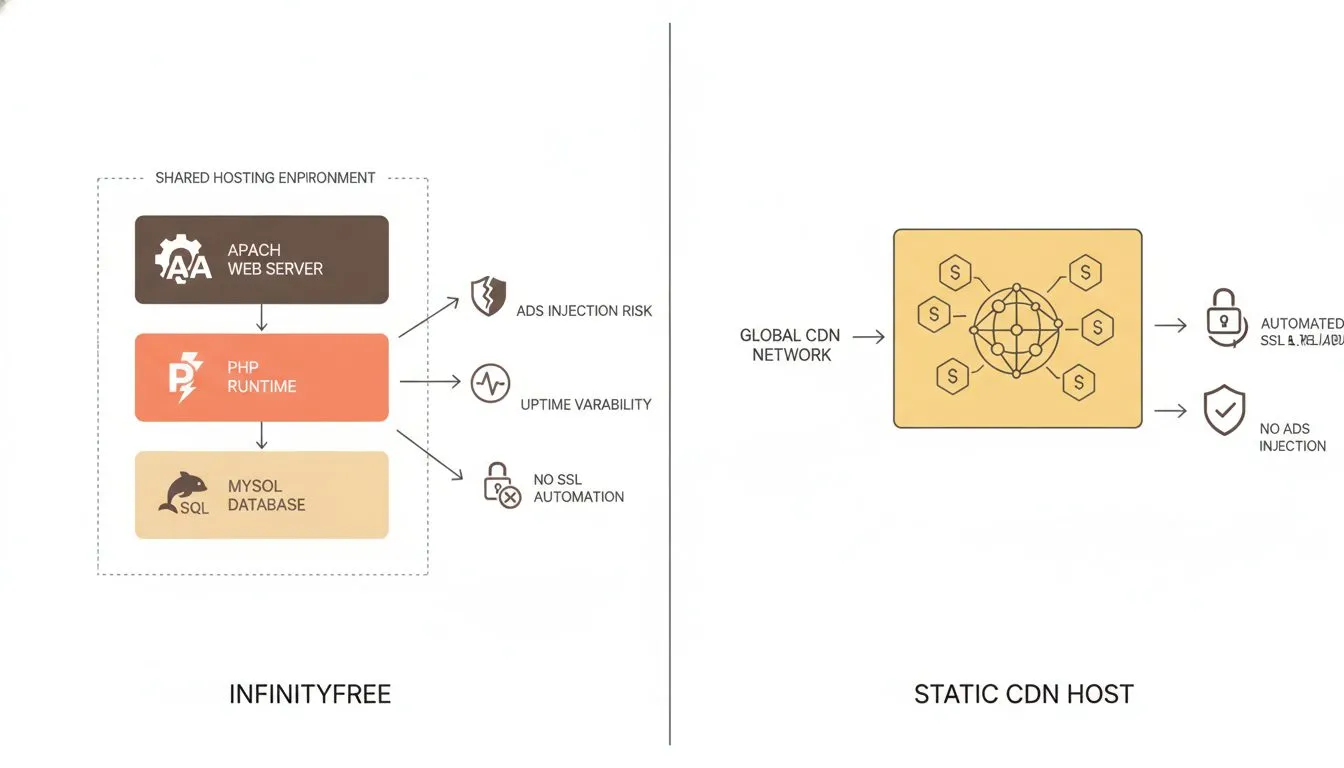
InfinityFree gives you real PHP and MySQL, but the shared-hosting trade-offs are real too.
InfinityFree offers genuinely free PHP and MySQL hosting, forever, with no credit system. That makes it one of the only options here that can run WordPress at all.
What's actually free
You get 5 GB of storage, unmetered bandwidth, and support for current PHP with MySQL or MariaDB. Free subdomains come in more than 25 extensions, and you can point your own domain at it too.
A free SSL certificate is included, and InfinityFree says it won't place ads on your actual site.
Where it comes up short
5 GB is tight for a media-heavy WordPress site full of images. There's also a daily traffic ceiling: hit 50,000 visits in a day and the account goes offline for 24 hours before reactivating automatically.
Support is the bigger limitation, and InfinityFree says so plainly: "Free hosting does not include one-on-one customer support, and so we cannot accept support requests through email, ticket, phone or chat." Forums and documentation only.
Then there's inactivity, which is the real trap for a student. In their words, if your account "has not received any visitors in 20-60 days, it will be deactivated", and deactivated accounts are deleted after that. A portfolio nobody visits over a long summer can quietly disappear.
After the free tier
There's no built-in upgrade path here. Most students migrate to a paid host once the free limits stop working for them.
Who it's actually for
Reasonable for a small WordPress test site or a PHP class project on close to zero budget. Less suited to anything riding on a real grade deadline or a paying customer.
7. Render: free static hosting, plus a limited free backend
Render blends static site hosting with actual backend services - small apps, APIs, and databases - inside one free tier. That combination makes it popular with students learning full-stack development.
What's actually free
Static sites deploy free with no real compute limits. A free web service gets 512 MB of RAM, and a free Postgres database includes 1 GB of storage on 256 MB of RAM.
Where it comes up short
Start with the one that matters most, because it is easy to miss and it has a deadline attached. Free Postgres databases expire 30 days after you create them. Render's own documentation: "Free Render Postgres databases expire 30 days after creation", followed by a 14-day grace period to upgrade, after which "Render deletes the database (along with all of its data)".
Build a full-stack project on a free Render database in week one of a semester and it is gone before midterms unless you pay. Only one free database can be active per workspace.
Free web services also spin down after inactivity. Render's wording is precise: it "spins down a Free web service that goes 15 minutes without receiving any inbound traffic", and spinning back up "takes about one minute". That's a minute of loading screen for whoever opened your link, which is a long time if it's a recruiter.
Free bandwidth is capped at 5 GB a month, with $0.15 per GB above that, and free instance hours are capped at 750 a month per workspace.
After the free tier
Paid plans remove the spin-down behavior and raise the resource limits, priced per service rather than as one flat fee.
Who it's actually for
A good match for a student learning to deploy a small backend app or API next to a static frontend. Not the pick for a site that needs to respond instantly, every time.
So, which one should you actually use?
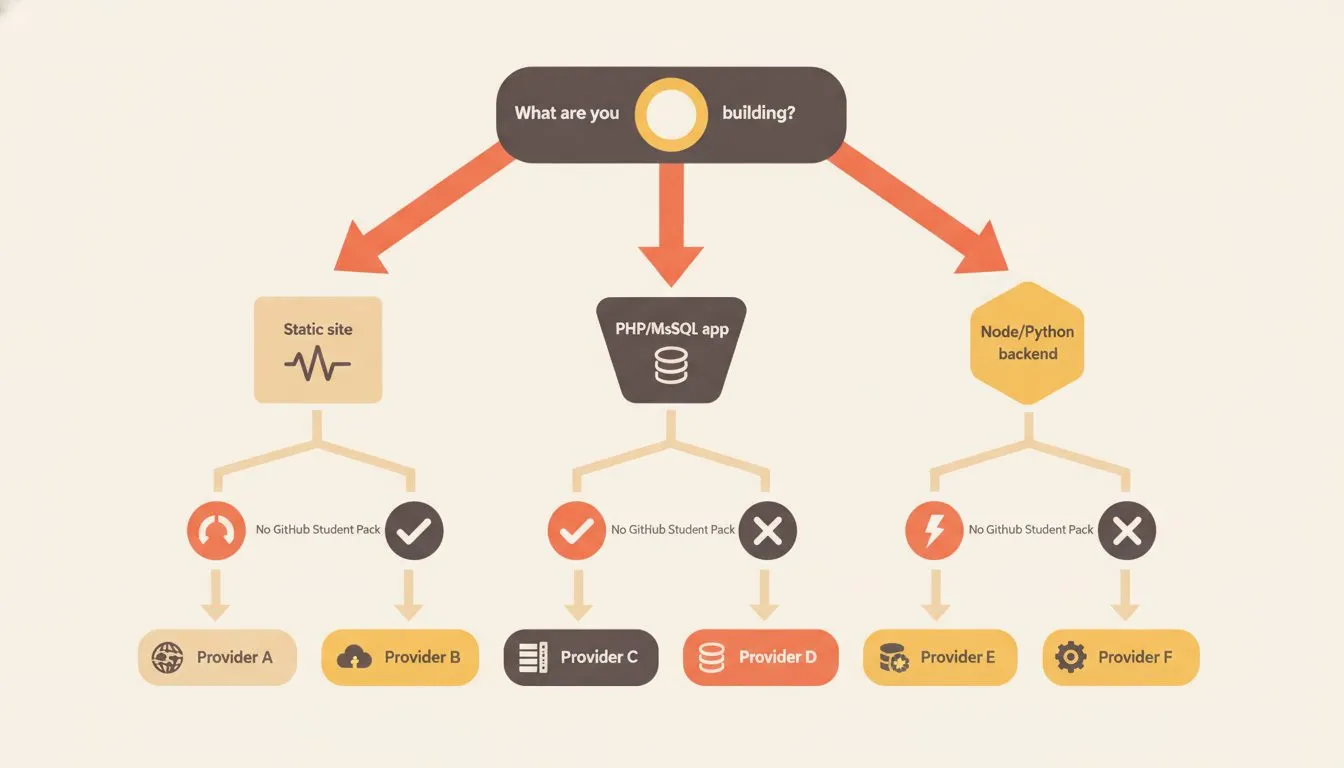
Follow the branches to find the free host that fits your actual project.
Building a coding portfolio or a class project in a framework you're learning? GitHub Pages, Cloudflare Pages, Vercel, or Netlify will all get it live free, with slightly different limits.
Need a real WordPress site, a PHP project, or a professional email address, without touching code? Flashcloud's student plan covers all three for a full year, verified with your university email.
Testing a full-stack idea with a small backend? Render's free tier handles that, spin-down delay and all.
Whichever you pick, check the actual limits before you commit real coursework to it, and check the expiry dates too. Render's free databases delete themselves after 30 days. InfinityFree deactivates quiet accounts after 20 to 60 days. Neither of those is hidden, but neither is on the pricing page either. For the wider version of that check, our guide on how to choose web hosting covers what to look at on any plan, free or paid.
And whatever you build on, a free email account tied to your own domain is worth more than it looks once you're applying for internships. A résumé that ends in your own name reads differently than one ending in a free host's subdomain. We cover how the pieces fit together in our guide to what student web hosting actually includes.

Neycho Tepavicharov is the co-founder of Flashcloud, with nearly two decades in web hosting behind him and a hosting company he co-founded and sold along the way. He started Flashcloud to make hosting clearer, more generous, and genuinely supportive, and he writes about hosting, performance, how AI is changing the industry, and the occasional strong opinion about where it gets things wrong.
Connect on LinkedIn