Student Web Hosting Explained: Domains, WordPress, Email and What You Actually Need
A domain, hosting, and email are three separate purchases, and a $0.01 intro price can quietly become $22.99 a year.
Search "student web hosting" and you'll get three different products mashed into one phrase. A domain, a hosting plan, and an email address, each sold separately by someone.
Most guides explain one of the three. They assume you already understand the other two.
That's how students end up with a $6.99/mo host, a separate domain bill, and no working email. Three charges for one website, none of them explained together.
Each piece gets marketed on its own too, by a different company, with its own take on a student discount. Comparing them side by side ends up harder than it should be.
This piece breaks those terms apart first, one at a time. Once the pieces are separated, comparing any two plans gets a lot easier.
This guide covers what each piece actually is. It also covers what it should cost. If you're looking for a list of free options rather than an explanation of the parts, our roundup of free web hosting for college students covers seven of them.
Just as important: which parts a genuinely good student plan bundles in for free, without being asked.
What a domain actually is (and what it should cost)
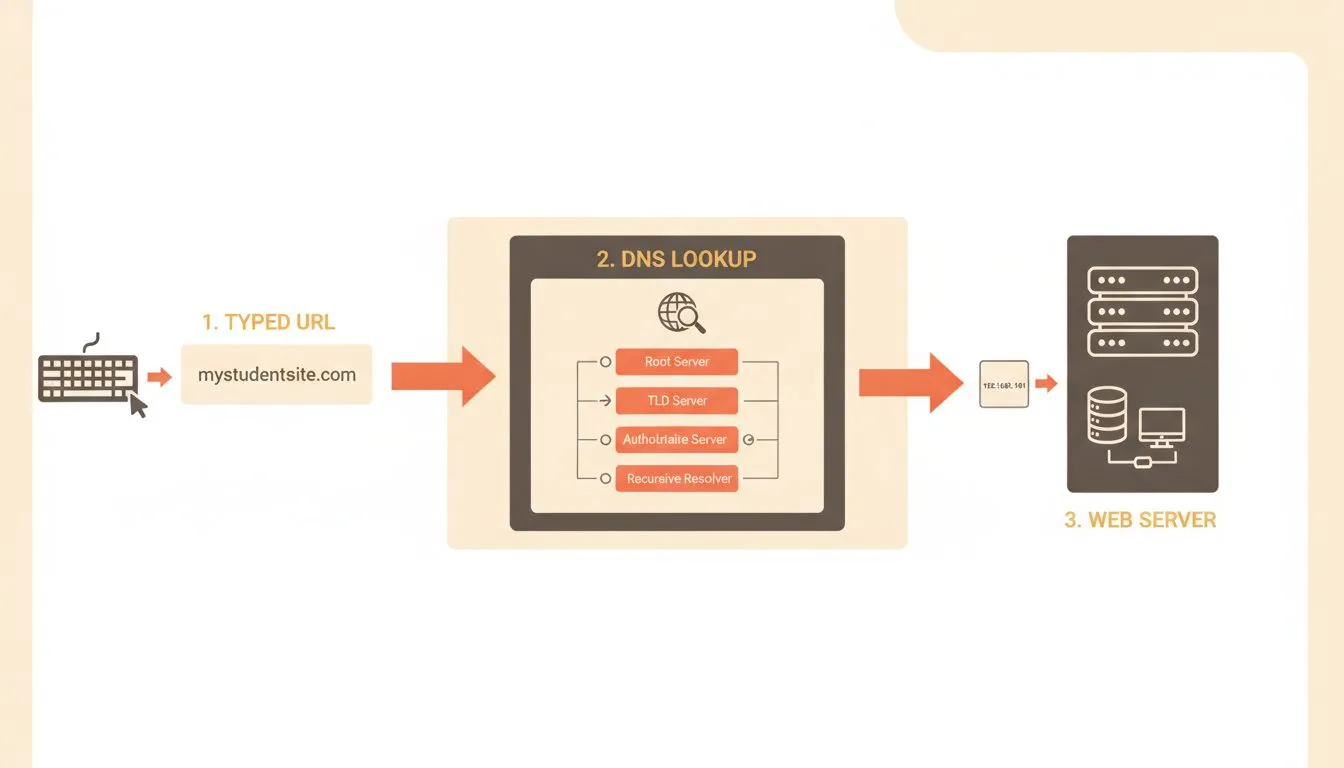
How a domain name resolves to the server that holds your site
A domain is the address people type to find you, yoursite.com, not a subdomain tacked onto someone else's platform. You don't buy it once. You rent it, a year at a time, from a registrar.
That renewal detail is where most confusion starts. A domain priced at $2 in year one can jump to $20 or more at renewal. Almost nobody reads that far into the checkout page.
Path to a domain | Typical cost | What to watch for |
|---|---|---|
Buy one alone from a registrar | $12-$20/yr across the major registrars | The renewal is the real number, and it often differs sharply from year one |
Bundled with a paid annual hosting plan | Sometimes free | Usually free for year one only, unless stated otherwise |
Earned through a student-verification bundle | Often free for a year, select extensions | Not a long-term substitute for owning your real domain |
The renewal is the number that matters, not the first year. GoDaddy is the clearest example: it advertises a .com for $0.01, which sounds unbeatable until you read the term. That price needs a three-year commitment where years two and three cost $22.99 each, and it renews at $22.99 every year after. A registrar charging a flat $14 a year is cheaper over any period longer than twelve months.
One common assumption is worth correcting early. A .edu domain isn't something an individual student can register.
That extension is reserved for accredited US institutions, not personal use. A student site runs on a normal domain instead, usually a .com, the same as anyone else's.
The distinction matters because a student email address and a student domain are two entirely different things. Your .edu email can unlock a free hosting plan. It can't get you a .edu website of your own.
A good domain name is short and easy to say out loud. Skip hyphens and numbers where you can.
It's also worth picking something that outlasts one class or job title. A personal brand tends to stick around longer than a single degree program.
Some domain registration pages show the renewal price next to the intro price before you buy. Treat that as the real baseline, not a bonus detail. A host that hides its renewal price is telling you something about how it makes money.
Domains can also be locked, transferred, or lost entirely if a renewal is missed. A missed renewal usually triggers a short grace period before the domain becomes available to anyone else. That's a real deadline, not a soft suggestion, so a calendar reminder is worth setting the day you register.
WordPress hosting: what it actually needs
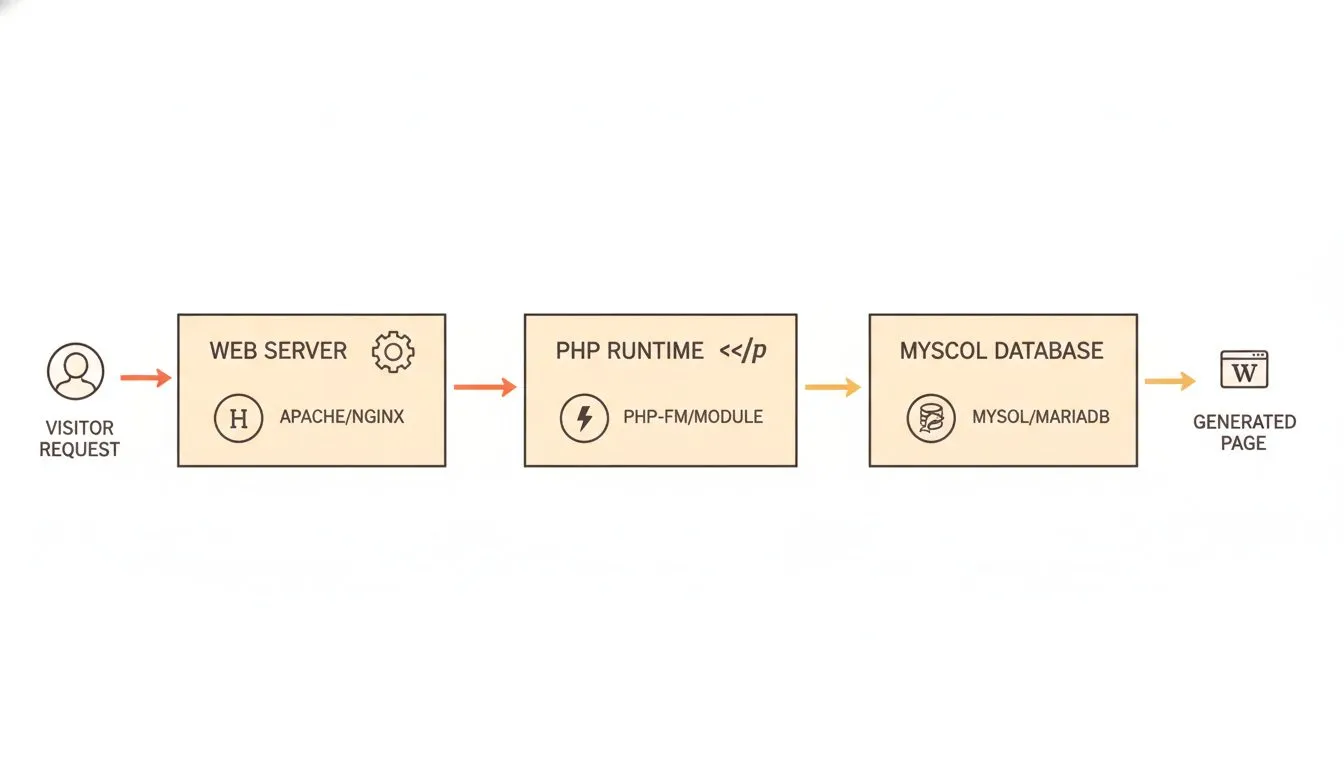
The three core components every WordPress site depends on
WordPress itself is free, open-source software. What costs money is the server underneath it, which needs a few specific technical pieces to run properly.
Here the wording matters, because most guides get it wrong. WordPress.org recommends PHP 8.3 or greater, with MySQL 8.0 or MariaDB 10.11 and HTTPS support. Those are recommendations, not minimums.
The actual minimums are lower. WordPress still runs on PHP 7.4 and MySQL 5.5.5, which WordPress.org notes for anyone "in a legacy environment". It adds the important caveat: "these versions have reached their official End Of Life and may expose your site to security vulnerabilities."
So a host offering PHP 8.1 is not unsuitable, whatever a comparison article implies. It is behind the recommendation and fine for a student site. A host stuck on PHP 7.4 is a different matter, because nobody is patching it any more.
A WordPress-ready hosting plan should have current versions covered automatically, with nothing to configure yourself. Some hosts even run a one-click installer that sets WordPress up for you in a couple of minutes.
If a host makes you hunt through settings to check your PHP version, that's telling you something. It usually means WordPress wasn't the priority when the plan was designed.
One thing worth knowing if you're weighing a free plan: most free hosting can't run WordPress at all. Platforms like GitHub Pages, Cloudflare Pages and Vercel serve static files only, which means no PHP and no database. WordPress needs both.
WordPress hosting also differs from a drag-and-drop site builder in one important way. You own the actual files and the database, so moving hosts later doesn't mean rebuilding from scratch.
Storage is the other thing worth sizing correctly before you commit. A compressed talking-head video runs roughly 500MB per hour of footage. Ten hours of course or portfolio video adds up to about 5GB.
Photos and a typical blog take up far less. Often under 1GB, across years of posts.
Most entry-level student plans start around 20-25GB. That comfortably covers a portfolio, a blog, or a handful of video lessons.
Anything more media-heavy deserves a real check against your plan's actual limit. Finding out mid-upload that you're out of room is a bad way to learn your storage cap.
One more thing worth checking before you commit: whether backups run automatically, and how far back they go. A host with only a few days of backup history can't undo a mistake you didn't notice right away.
Themes and plugins are the last piece of the WordPress puzzle. A theme controls how the site looks. A plugin adds one specific feature, a contact form, a gallery, a booking calendar.
Most of the free ones cover what a student site actually needs. Paid themes and plugins exist too, but they're rarely necessary before you know exactly what's missing.
Whatever theme you pick, check it on a phone before you call the site finished. Plenty of visitors will open it on a phone first. That includes anyone reviewing your work between classes, phone in hand.
Email: the part everyone forgets
A website with no matching email looks unfinished the moment someone checks. you@gmail.com reads differently than you@yourname.com on a job application or a client proposal.
Two real paths get you there. Some hosting plans include email accounts on your own domain for free, either unlimited or capped depending on the provider.
Standalone email services are the other option, usually free up to a small user limit. Zoho Mail's free plan, for example, covers one custom domain and up to five mailboxes, each with 5GB of storage.
Two conditions on that plan are easy to miss and both change the picture. There is no IMAP, POP or ActiveSync, so it works through Zoho's webmail and apps only. No Outlook, no Apple Mail, no Thunderbird. And Zoho states the free plan is "available only in select data centers", so it may not be offered wherever you sign up from.
It's still a real option if your hosting includes no email at all. It just runs as a separate account, managed on its own, rather than inside your hosting control panel.
Google Workspace is the other name students hear a lot. It's a genuinely strong tool, but it isn't free for a personal domain.
Pricing there runs per user, per month. That starting rate sits well above what a bundled hosting mailbox typically costs for a single student.
Either path beats skipping email entirely. A domain with no matching inbox is a website visitors can't reach the way they expect to.
Deliverability is worth a mention too. A properly configured address on your own domain is less likely to land in a recruiter's spam folder.
That's compared with one sent through a free personal account acting on your behalf. Small detail, real difference when a reply actually matters.
Security basics: SSL, backups, and what actually protects your site
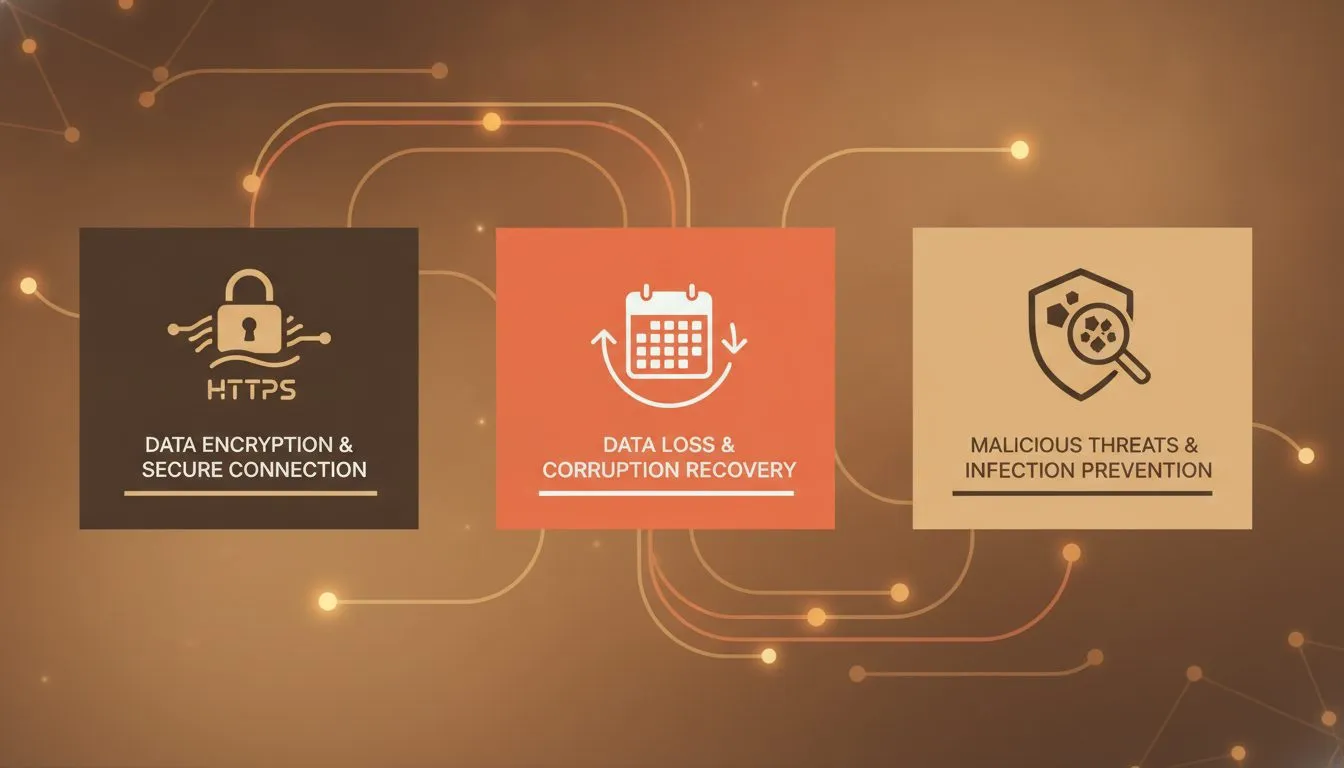
The three security basics every student site should have in place
SSL is the padlock icon in a browser's address bar, and it's non-negotiable today. It encrypts traffic between a visitor and your site, and browsers actively warn people away from sites without it.
Free, automated SSL certificates are standard practice now across the hosting industry. Nonprofit certificate authorities like Let's Encrypt helped make that the norm rather than a paid extra. Flashcloud includes one free, auto-renewing, on every plan, student or not.
A host still charging separately for SSL in 2026 is charging for something that costs almost nothing to provide.
Backups matter just as much, though they're easy to ignore until something breaks. A daily backup with real history, ideally 30 days or more, changes what a bad update costs you.
Instead of a lost afternoon rebuilding from memory, it's a five-minute restore. That difference only shows up once, right when you need it most.
Check specifically how backups restore, not just whether they exist. A one-click restore from a control panel beats an email to support and a multi-day wait.
A quick checklist before you sign up
A few questions, asked before you pay anything, catch most of the problems students run into later:
- Is the domain free for the life of the plan, or just the first year?
- Does the plan's PHP and database version match what WordPress currently recommends?
- How many email accounts are included, and is there a real cap?
- Is the storage limit enough for your actual media, not just today's homepage?
- Are backups included free, and how many days of history do they keep?
- If student verification is required, which email domains actually qualify?
- Is the renewal price shown clearly, before you enter payment details?
Answering these before checkout takes a few minutes. Finding the answers after checkout usually costs a lot more than that.
What each piece costs, roughly
Piece | What it does | Typical cost alone | Common bundling |
|---|---|---|---|
Domain | Your web address | $12-$20/yr | Sometimes free with an annual host, often year one only |
WordPress hosting | Where your site's files actually run | $3-$10/mo to start, more at renewal | This is the base plan itself |
Professional email | An inbox that matches your domain | $0-$6/mo per mailbox | Some hosts include several accounts free |
Add those up separately, and a student site can run $15 to $25 a month before anything else. A plan that genuinely bundles all three brings that closer to the hosting cost alone.
That gap is exactly why the bundling question matters more than the sticker price. A slightly higher monthly number can still cost less overall.
That's true whenever it genuinely includes the domain and email. Three separate "cheap" line items rarely beat one honest bundle once you add them up.
What you actually need, based on what you're building
A single portfolio or résumé page needs the least. A domain, basic hosting, and one email account cover it, storage and email limits barely matter at this size.
A blog or small course site needs more room. Budget for real storage if you're uploading video.
Make sure email scales past one account too, in case classmates or collaborators need their own. Growing into a second or third mailbox shouldn't mean switching plans entirely.
A small side hustle, tutoring, freelance design, selling something small, needs the same basics, plus a working contact form. Daily backups matter more here.
Losing a semester's worth of client messages to a broken plugin is a real, avoidable risk. A good host restores that in minutes, not days.
None of these need VPS hosting or a dedicated server. Those exist for heavier traffic and deeper technical control.
Most student projects will never come close to needing either one. Save that decision for a much bigger project, later.
A worked example: two students, two budgets
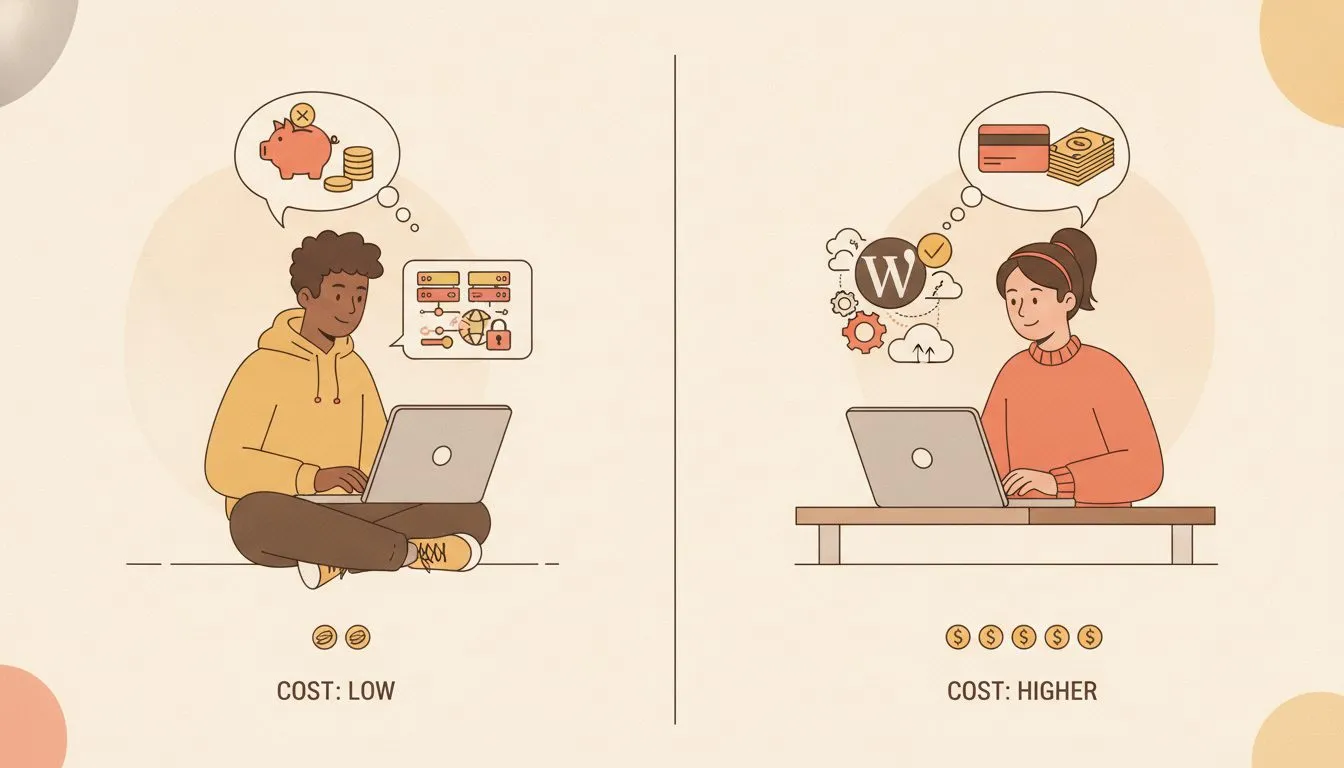
Two students, two setups — see how budget shapes the right hosting choice
Consider two students building similar portfolio sites this semester. The first buys a domain from one company, hosting from another, and signs up for a separate email tool.
Domain runs $14 for the year. Hosting runs $6.99/mo, or about $84 for the year. Email adds another $0, since a free tier covers one mailbox, but with no domain-matching branding on it by default.
Total for year one: roughly $98, spread across three separate accounts, three separate logins, and three renewal dates to track.
The second student picks Flashcloud's student plan, verified with a university email. Hosting is free for the first 12 months, and email comes with the plan at no extra cost.
The domain still needs separate registration, since a student plan like this doesn't typically include one. That's the one line item that survives either approach.
Total for year one: just the domain, around $14, with one login and one renewal date instead of three.
Neither approach is wrong. But the second student spent a semester's textbook budget's worth less, for a functionally similar result.
That gap compounds over four years, not just one semester. Multiply it across a full degree, and it's the difference between a few textbooks and a laptop upgrade.
The bottom line
Domain, hosting, and email are three separate decisions dressed up as one purchase. Understanding what each one actually does makes it much harder for a host to sell you the same thing twice.
Look for a plan that answers the checklist above honestly, upfront, before checkout. If you're a verified student, a genuinely good plan should already include most of this for free.
That means more than just the hosting itself. The email and the SSL certificate belong in the same free package.
So does the technical setup underneath all of it. None of that should be sold back to you one line item at a time.
That's the bar Flashcloud's own student plan was built to clear. Hosting, email, SSL, and backups, verified once and free for a full year.

Neycho Tepavicharov is the co-founder of Flashcloud, with nearly two decades in web hosting behind him and a hosting company he co-founded and sold along the way. He started Flashcloud to make hosting clearer, more generous, and genuinely supportive, and he writes about hosting, performance, how AI is changing the industry, and the occasional strong opinion about where it gets things wrong.
Connect on LinkedIn