
See your new site now.
Change your DNS later.
Type your domain and your new server's IP. You get a link that shows the site from that server, on any device. Your live site stays as it is.
Three steps. Nothing to install.
No hosts file, no settings, no downloads. Type, open, done.
-
 1
1Type the domain and the IP
Your new host shows the IP in the welcome email or the control panel.
-
 2
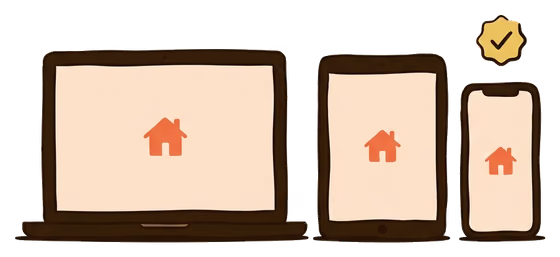
2Open the link
Any device. Click around like a normal visitor; everything loads from the new server.
-
 3
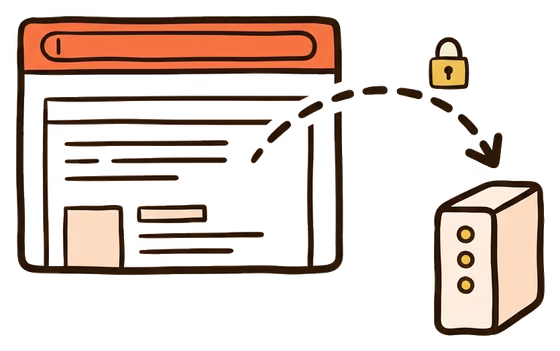
3Happy? Change your DNS
Point your domain at the new server. The link keeps working for 30 days while the change spreads.
Good to know before you start.
The link shows your website from one server. That covers most of a move. A few things it cannot do:
- It needs a public IP
Addresses starting with 192.168, 10. or 172.16 to 172.31 are home or office addresses. The internet cannot reach them. Use the IP your host gave you.
- Cloudflare addresses do not work
If the IP starts with 104. or 172.6x, that is Cloudflare, not your server. Your host's control panel shows the real server IP.
- The site must be on the new server
If the site is not uploaded yet, you see the server's default page or an error. The link starts working the moment the site is there. No need to make a new one.
- Old addresses baked into the site
Some sites have their old server's address written into their code. Those parts still load from the old place. Everything else comes from the new server.
- Website only
Email, FTP and databases do not go through the link. Test those once DNS has moved.
- Limits
10 links per hour per visitor. Asking for the same domain and IP again gives you the same link, renewed for 30 more days.

Moving to Flashcloud? We carry the boxes.
If the new server is ours, you do not even need this page. Every hosting account has the preview link one click away in the portal, and our team moves the site for you.
- Free migration: our team moves your site and email, usually within 24 hours, while the old host keeps serving.
- The same tools inside the portal: a preview link per domain in one click, and the DNS check with "sees Flashcloud" results.
- Plans from $2.79/mo with a free domain for life, free SSL, daily backups and an anytime money-back guarantee.
The Flashcloud preview link shows a website on a new server before the domain's DNS points there. Type the domain and the server's public IP and get a flashcloud.link address that opens the site from that server, on any device, for 30 days. It changes nothing about your DNS. Free for everyone.
Frequently asked questions
How do I preview a website before DNS propagation?
Type your domain and the new server's IP in the form above. You get a link on flashcloud.link that shows the site from that server, exactly as it will look after the DNS change. Open it on any device, share it with anyone. When it looks right, change your DNS.
Where do I find the server IP?
In the welcome email from your new host, or in its control panel. In cPanel it is on the right side under General Information, as Shared IP Address or Dedicated IP Address. On a VPS it is the address you log in to. It must be the server's own IP, not a Cloudflare one.
Is this the same as editing my hosts file?
Same result, no fiddling. A hosts-file edit makes one computer go to the new server. The preview link does that for you and gives you a normal web address, so it also works on your phone and on devices you cannot edit.
Does the preview change anything about my domain or DNS?
No. Nothing is written to your domain, your DNS or the server. The link only fetches pages from the server you named and shows them to you. Your visitors keep seeing the old site until you change DNS yourself.
Will logins, forms and WordPress admin work through the preview?
Yes, almost always. The link keeps you on the preview address, so clicking around stays inside it. The exception is code that has the old server's address written in, or that forces a redirect to the real domain.
How long does the link last and can I renew it?
30 days. Ask for the same domain and IP again and you get the same link, renewed for another 30 days. Links are private to whoever has them and are never indexed by search engines.
Can I preview a site that is behind Cloudflare?
Yes, with the real server IP. The address public DNS shows for a Cloudflare site is Cloudflare's, not the server's. Your host's control panel has the real one. Type that and the preview works like any other.
What does a Flashcloud customer get on top?
The same tool inside the portal: one click per domain, with copy, extend and remove buttons. Next to it, the DNS check says when your domain points at Flashcloud. And our team moves your site for free.