Moodle Hosting Requirements: What Schools and Course Creators Actually Need
Look past generic cPanel advice to see which PHP settings, cron rules, and memory limits actually keep a modern Moodle install running smoothly.
Moodle 5.2 needs PHP 8.3 or 8.4, a current database, a PHP memory limit of at least 96 MB, and a cron job running every minute. Most shared hosting clears that bar. The parts that catch people out are cron, storage, and whether the host's own documentation is current.
Moodle runs more than 525 million user accounts across 146,110 registered sites. Most of those sit on ordinary shared hosting rather than custom infrastructure, and Moodle's own statistics show why: 116,091 of those sites, 79.5% of every registered install, have under 1,000 users.
Most guidance stops at "pick a host with cPanel." That isn't wrong, but it skips the parts that actually break a Moodle install. A wrong PHP version, a low memory limit, or a missing cron job can each stall a course quietly, without an error message.
This guide covers what Moodle's own documentation requires, then what schools and course creators need beyond the spec sheet. It ends with a straightforward way to match those requirements to a plan. If you'd rather see the hosts compared directly, we did that separately in best web hosting for Moodle websites.
Every requirement below was taken from Moodle's own documentation in August 2026.
What Moodle actually requires from a server
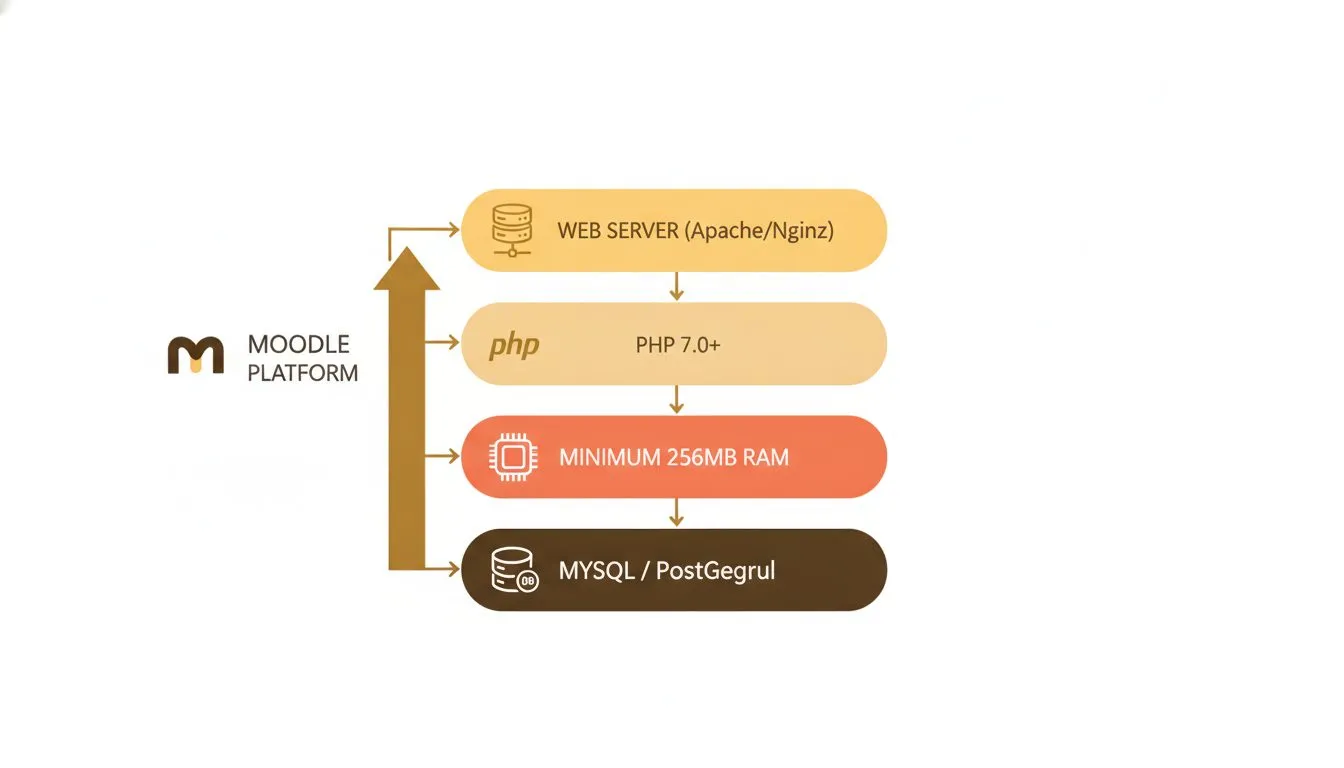
Moodle's server stack: the core components every host must provide
Moodle publishes its own server requirements, and they're more specific than most hosting pages let on. None of it is exotic. But every item is also a place a host can quietly fall short.
The current stable release is Moodle 5.2, released 20 April 2026. Moodle 5.3 is designated LTS and is due on 5 October 2026.
PHP version and extensions
Moodle 5.2 requires PHP 8.3 as a minimum, and PHP 8.4 is supported. Only 64-bit builds of PHP work.
That figure matters more than it sounds, because a lot of hosting documentation is badly behind it. One major host's published Moodle requirements page still says PHP 5.6, which is roughly a decade out of date and would fail installation outright. Check the host's actual PHP availability rather than its Moodle article.
Moodle needs these PHP extensions enabled: ctype, curl, dom, gd, iconv, intl, json, mbstring, pcre, simplexml, spl, xml and zip, plus the driver for your database. Moodle's release notes also state that the sodium extension is required, though the PHP documentation page lists it as recommended. Treat it as required.
One PHP setting is easy to miss: max_input_vars must be at least 5,000.
If an extension is missing, the Moodle installer flags it before you get far. It's worth confirming with a host before committing to a multi-year term.
Web server
Moodle supports Apache, Nginx, LiteSpeed, OpenLiteSpeed and IIS. Most shared hosting defaults to Apache, which runs Moodle fine under normal class-hours load. LiteSpeed handles traffic spikes with less strain, which matters most during exam week or an enrolment push.
Database
Moodle 5.2 raised two of its database minimums. The current requirements are:
Database | Minimum version |
|---|---|
MariaDB | 10.11 |
MySQL | 8.4 |
PostgreSQL | 16 |
Microsoft SQL Server | 2019 |
Oracle is no longer supported as of Moodle 5.0. Shared hosting almost always ships MySQL or MariaDB, and most current cPanel hosts clear these numbers, but it's worth asking rather than assuming.
Course data lives almost entirely in the database, not in flat files. Every quiz attempt, grade and forum post is a row in it, so database performance matters more for Moodle than for a typical brochure site. Slow queries show up as slow page loads, right when a class is trying to load a quiz.
Memory, storage and processing power
Moodle's documentation recommends at least 1 GB of server RAM, with 512 MB as an absolute floor. Large production servers with thousands of concurrent users may need 8 GB or more. Shared hosting doesn't expose a hard RAM figure, but it does set a PHP memory limit per account.
That limit is the one to check. Moodle needs memory_limit set to at least 96 MB or the installer refuses to run, and Moodle's own words are that "some functions may not work if this low." 128 MB is the recommended floor. Most current cPanel hosts default well above it.
On disk, plan for around 200 MB for Moodle's code and, in Moodle's own phrasing, "as much as you need to store content," with 5 GB called a realistic minimum.
Cron: the part that's easy to forget
Moodle relies on a scheduled task, or cron job, to send notifications, process backups, convert documents and clean up deleted content. Moodle's documentation recommends running it every minute.
Moodle is blunt about what happens if you skip it: "Do not skip setting up the cron process on your server for your Moodle. Your site will not work properly without it."
The failure mode is what makes this dangerous. Nothing crashes. Forum emails stop sending, course backups stop running, and grades stop syncing, all silently. It typically surfaces three weeks into a term when somebody asks why nobody got the assignment reminder.
Web-based cron, the old browser-triggered method, is deprecated and has been disabled by default since Moodle 2.9. You need a real server cron.
Most managed hosts, including cPanel-based ones, let you set this up through a cron interface. Ask specifically whether cron is included at no extra cost, and whether the host will configure it for you. Ours is documented here: setting up cron jobs. Worth knowing that none of the four largest general-purpose hosts we checked publishes any Moodle cron guidance at all.
One recent change worth knowing about
From Moodle 5.1, Moodle serves web-accessible files from a public directory, and the older pattern of dropping Moodle into public_html/moodle is no longer advised. On shared hosting where you can't change the document root, this needs handling at setup.
It's the single most likely thing to trip up a Moodle install on shared hosting today, and almost no host documentation mentions it yet.
How much storage and how many sites do you actually need
How storage needs scale from a single school site to multiple Moodle installations
Course files add up fast. Recorded lectures, PDFs, slide decks and student submissions all live in the moodledata folder. A single course with video can use several gigabytes on its own.
Setup | Typical storage need | Rough student count | Suggested plan tier |
|---|---|---|---|
Single course, light files | 5-15 GB | Up to 100 | Entry-level shared |
Single school, several courses | 15-40 GB | 100-500 | Mid-tier shared |
Multi-department or multi-site | 40-90 GB | 500+ | Top-tier shared |
These are planning ranges based on the worked estimate below, not figures Moodle publishes. A course built around recorded video will use far more than one built around text and quizzes.
A storage estimate, worked out
Here's a rough way to arrive at a number. 300 students each uploading around 50 MB of files over a term comes to roughly 15 GB. That's before the course materials themselves.
A single hour of recorded lecture video adds another 200 to 500 MB depending on quality. Across a semester of recorded classes, video becomes the largest line on the storage bill by some distance.
For a school of 500 students under the same assumptions, that's roughly 25 GB from uploads alone. Add course materials and video and 40 GB is a realistic planning figure rather than a worst case.
How many students can shared hosting handle at once
Moodle explicitly declines to answer this, and the honesty is worth quoting: "A 'what hardware do I need for 50,000 user?' style post in the forums is highly unlikely to get a useful answer." Its advice is to start with a small pilot and measure.
Shared hosting doesn't publish a hard concurrent-user cap the way per-student LMS pricing does. Capacity depends on server resources, how many other accounts share the server, and how heavy your pages are. A class of 30 taking a timed quiz together is a realistic load for most shared plans.
A whole school logging in at once for a scheduled exam is a heavier ask. If that's a realistic scenario, ask the host directly about concurrent-user headroom rather than assuming.
One related setting worth checking is the maximum file upload size, which governs how large a single student submission can be.
Self-hosted Moodle versus a fully managed service
Some providers, including Moodle's own cloud service, price managed Moodle by student headcount rather than by resources. That removes server administration entirely, but it usually costs considerably more per gigabyte.
One limitation worth knowing before you compare: MoodleCloud does not allow plugins on any tier. Its own wording is that "you are not able to install any plugins or integrations." If a specific plugin or an integration with your student information system is part of the requirement, self-hosted is the only route.
Neither answer is wrong. A department with no time for setup may reasonably prefer paying more per gigabyte to never touch a server. We compared the main hosted alternatives in the best website companies for teachers running an online course.
What matters beyond the spec sheet
Meeting Moodle's technical minimums gets you a working install. It doesn't guarantee the site stays fast, backed up and supported when something breaks.
Backups that actually cover Moodle
A generic backup that only saves files misses half of Moodle. The database holds grades, enrolments and quiz attempts; moodledata holds submissions and course files. A real Moodle backup covers both together.
Ask a host directly whether their backup includes both, and whether you can restore it yourself.
Support that understands cron, not just WordPress
Most hosting support teams are trained on WordPress tickets, because that's the bulk of their traffic. Moodle questions, a stuck cron job, a plugin conflict, a memory limit error, need someone who's seen them before.
Worth testing before you buy. Ask a Moodle-specific question through pre-sales and see what comes back.
Documentation that matches the software
This is a newer problem and a real one. Of the four large general-purpose hosts we checked, all four publish Moodle guidance written for Moodle 3, and one still states PHP 5.6 as the requirement. A host whose Moodle article is four major versions behind isn't necessarily bad at hosting, but it tells you how much Moodle-specific attention to expect.
A cost curve you can plan around
Renewal pricing swings widely across the hosting market, and a school's budget cycle doesn't bend to match it. A host that publishes its renewal rate upfront is easier to budget against than one that surprises you a year in. This matters more for institutions than for a course creator paying personally.
Migration, if you're not starting from zero
Plenty of schools already run Moodle somewhere and want to move rather than start fresh. A Moodle migration means moving the database, the moodledata folder and the configuration together, correctly. Getting it wrong risks losing grade history or breaking file links inside old courses.
It's also worth scheduling around your teaching calendar rather than doing it mid-term.
Traffic spikes around deadlines and exams
Moodle traffic is rarely steady. It spikes hard around assignment deadlines, exam windows and the first week of term. A host sized for steady blog traffic can struggle exactly when it matters most.
This is about headroom more than raw specs. Ask a host how it handles a burst, not just its average load.
Email that actually reaches students
Moodle sends constant email: assignment reminders, grade notifications, password resets. If a host's mail servers have a poor sending reputation, those land in spam. Ask whether email is included and how many accounts you get.
SSL and student data
Moodle handles logins, grades and sometimes payment details, so HTTPS isn't optional in practice. Every reputable host includes a free SSL certificate now. If one charges extra for it, that tells you something.
Matching these requirements to a plan
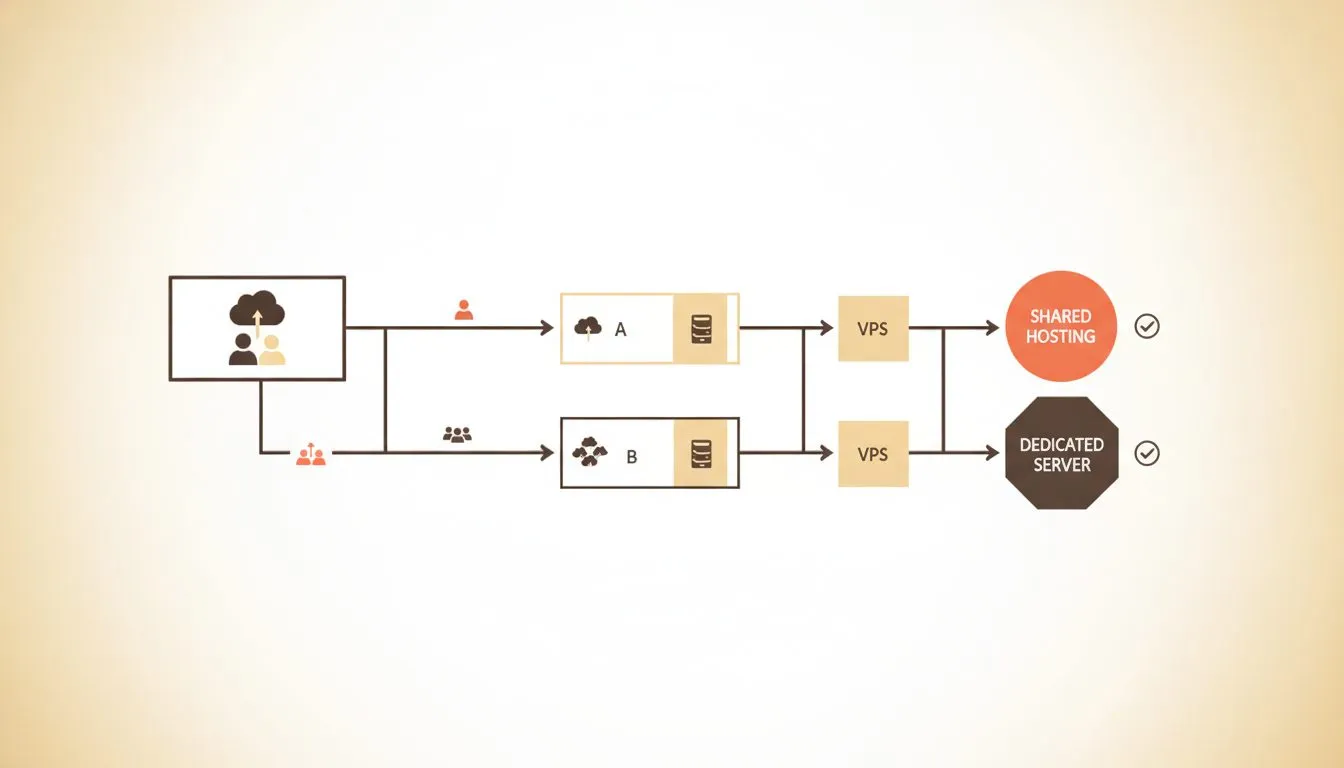
Choosing the right hosting tier based on your Moodle requirements
Worth noting: these are our own plans, so naturally we think they hold up. We've tried to size them against what Moodle actually requires rather than to make them sound good.
All of the above points at the same conclusion for a non-technical buyer: you want a host that handles the PHP, database and cron configuration without being asked. If you're building from nothing rather than sizing an existing install, our step-by-step guide to building a course website covers the whole process.
Flashcloud's Moodle hosting comes with the environment already configured to Moodle's current requirements, and our team installs and sets up Moodle for you free of charge. That includes advice on which plan suits your student numbers before you commit to one.
We support the other open-source platforms on the same environment: Chamilo, Claroline, ATutor, Forma LMS and ILIAS.
For a single course or small cohort
The Start plan is $2.79/mo on a 12-month term with 25 GB of NVMe storage, renewing at $9.99/mo. That clears Moodle's realistic 5 GB minimum with room for video. It fits one course creator or a single small class.
There's also a free student plan if you're enrolled somewhere: verify a student email and Start is free for 12 months, then $4.99/mo. A domain isn't included on that plan.
For a school running several courses
Grow adds unlimited websites and 50 GB for $3.79/mo, renewing at $11.99/mo. That's useful when a department wants a Moodle install and a school website on one account.
Every tier includes a domain that stays free for as long as you host with us, renewals included, plus daily backups covering both the database and moodledata with 30 days of history and one-click restore. Neither shows up on a technical requirements list, but both matter once a course has been running a year.
For larger or multi-department deployments
Scale goes to 100 GB at $8.49/mo, renewing at $22.99/mo. It suits an institution running Moodle alongside several other sites, or a single large deployment with heavy video.
If a shared plan stops being enough, VPS hosting gives you dedicated resources without a rebuild.
You can compare all three plans side by side, or ask our team to size it with you first.
Common questions about Moodle requirements
Can Moodle run on a $2 to $3 per month shared hosting plan? Yes. Moodle's minimum specs are modest by 2026 standards, and 79.5% of registered Moodle sites have under 1,000 users. The real questions are whether the plan includes enough storage, PHP 8.3 or newer, and cron access. Check those three specifically before assuming a low-cost plan works.
Does Moodle need a dedicated server? No, not for most schools or individual course creators. Moodle's own guidance reserves that for large deployments with thousands of concurrent users. A well-configured shared plan handles a single school or course comfortably.
What's the most common reason a Moodle install breaks on a low-cost host? Cron not running is the most common silent failure. Nothing crashes, but notifications, backups and cleanup all stop. A memory limit below 96 MB is second, and it causes specific pages or plugins to fail. Both are checkable before you buy.
Do I need a developer to set up Moodle? Not necessarily, and not with us: our team installs and configures Moodle for you at no charge on any plan. What still takes judgment is course structure and plugin choices, which are teaching decisions rather than technical ones.
How do I know if I've outgrown my current host? Slow page loads during peak class times, backups that silently fail, or hitting a storage cap are the clearest signals. Moving to a higher tier is usually simpler than troubleshooting around a limit. If you're switching hosts entirely, our guide to switching web hosting covers the process, and we handle Moodle migrations free.
Do I need a CDN for a Moodle site? Not strictly, but it helps when students are spread across regions or downloading large files. A CDN caches static files closer to the student and cuts load times. Most modern shared plans include one at no extra cost.
What happens to my Moodle data if I cancel? Policies vary, so ask before signing up. A reasonable host gives you a window to export your database and moodledata before deleting anything. Keep your own backup regardless, especially before a migration or cancellation.
Will every Moodle plugin work on shared hosting? Most will, since Moodle's plugin ecosystem is built on the same PHP and database layer shared hosting already provides. A plugin needing an unusual PHP extension is the exception worth checking first. Note that fully managed services can be more restrictive here: MoodleCloud allows no plugins at all.
Does Moodle work well on mobile? Yes. Moodle's mobile app connects to any standard install without extra hosting configuration. Students can submit assignments, check grades and receive notifications. Nothing in a typical shared plan blocks this.
Should I worry about student data privacy laws? Moodle includes built-in privacy and data-export tools that help with compliance work. The hosting layer still matters, because server location affects which laws apply. A host offering multiple data centre regions gives you more control.
Does Moodle itself cost anything? No. Moodle is free, open-source software with no licence fee and no editions to choose between. The cost is entirely the hosting underneath it, which is why comparing hosting requirements matters more than comparing Moodle versions.
The bottom line for schools and course creators
Moodle's real requirements are modest: PHP 8.3, a current database, a memory limit of at least 96 MB, and a working cron job every minute. Most shared hosting clears that bar. The differences show up in storage, in support, and in what happens after the install.
For a single course creator, that usually means a Start-level plan with room to grow. For a school or department, it means matching storage to real course content rather than to a sticker price.
Grow and Scale both allow unlimited websites on one plan, so a department can run its Moodle install and its school website from the same account without paying for two.
If you're not sure which plan covers your setup, tell us your student numbers and the kind of course content you're running, and we'll size it with you. There's no obligation to buy just to ask.

Nickola Naous is the co-founder of Flashcloud and the technical half of the team. He's spent nearly two decades building and running web hosting infrastructure, and co-founded and sold a hosting company before starting Flashcloud. He writes about performance, servers, security, and how AI is reshaping the technology behind a fast, reliable website.
Connect on LinkedIn